Icon generator
Icon Generator: Compare AI Icon Variants After Export
An icon generator can return several plausible drawings from one description. The files still need a pixel-level check before you choose a master.
Compare local exports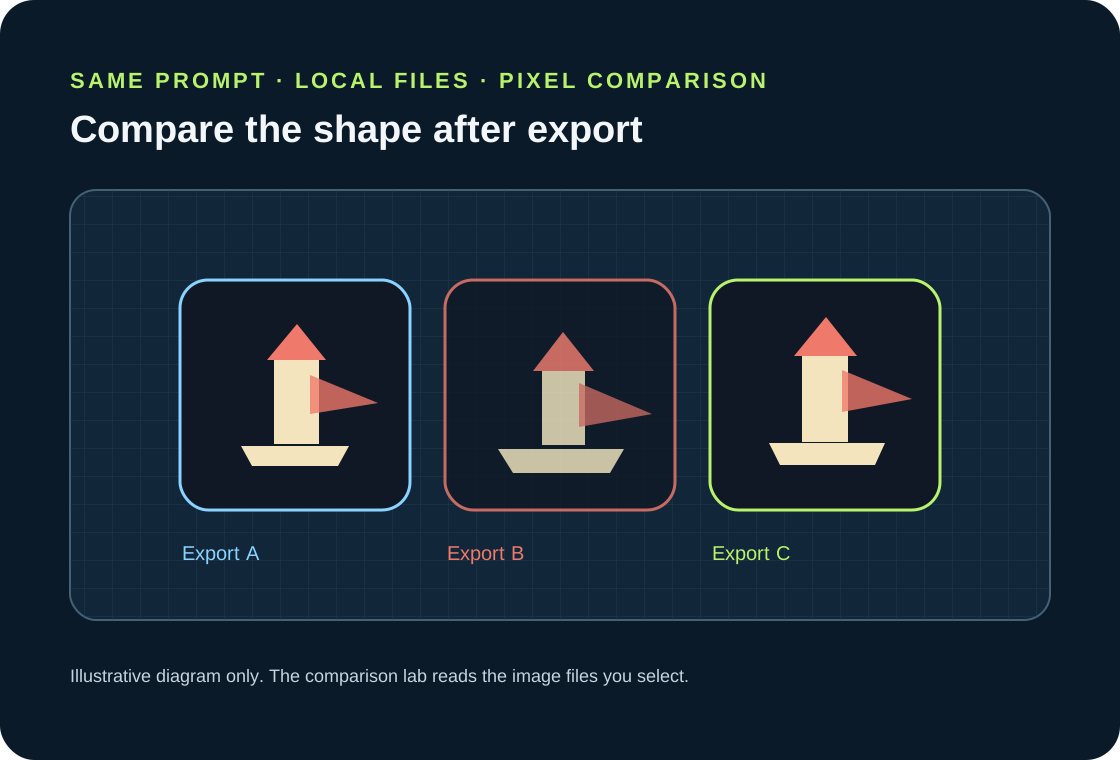
Generate a small set with one unchanged prompt, export every candidate, then decode the images and compare their foreground silhouettes and canvas padding. This browser-local lab calculates each pair's intersection-over-union (IoU), reports the four edge margins, and downloads a CSV. The files you select stay in your browser.
Limitations: the browser showed six Perchance image previews for the test prompt, but saving a reproducible local sample timed out. appicon.co locked additional variants and its download pack behind an email form, which was not completed. This draft therefore provides the measurement tool and its exact method, not measured generator outputs.
What an icon generator result does not tell you
A gallery can make several candidates look consistent because they share colors and a theme. That view does not reveal whether the foreground has the same contour, whether the subject sits at the same scale, or whether one export has noticeably wider empty space around it. Those differences matter when a product uses a family of icons in one interface.
File dimensions do not answer the same question. Two square images can have identical canvas dimensions but different occupied area. Conversely, two icons can have very similar outlines while using different color palettes. Keep the canvas, foreground mask, and visible artwork as separate observations instead of treating one filename or preview as a quality score.
The comparison here is deliberately narrow: it measures pixel overlap after the full image canvas is normalized to a common grid, and it reports each detected foreground box's distance from the four canvas edges. It does not decide whether a drawing is attractive, recognizable, on-brand, or safe to ship.
A practical same-prompt comparison
Use a short prompt that describes one object, one background, and one visual treatment. For example: “Minimal flat app icon of a tiny lighthouse standing on a single rounded island, deep navy background, warm coral beam, cream lighthouse, centered geometric silhouette, no text, no border, simple vector-like shapes.” This sentence is a reproducible test prompt, not a claim that a particular generator returned a specific result.
Ask the chosen generator for several images in one generation when it supports that control. If it only returns one result, repeat the same prompt and settings and mark the separate runs in your notes. Avoid editing one candidate between exports. A changed crop, background, or prompt would make the set a different experiment.
Export the full-resolution image files rather than saving a screenshot of the gallery. The lab decodes the file header and pixels locally. Keep a small manifest with the prompt, generator name, date, style controls, and filenames. That record lets another person tell whether two files belong to the same run.
Read the IoU and padding outputs together
For each pair, the lab forms foreground masks and computes intersection-over-union: pixels marked foreground in both images divided by pixels marked foreground in either image. A score closer to one means greater overlap on the normalized full canvas. The figure is a comparison of these selected files, not a universal pass mark and not a judgment about visual quality.
The four padding values are measured from the foreground bounding box to the left, top, right, and bottom canvas edges. Similar values indicate that the detected subjects sit at similar insets. Read them with the mask overlay: a compact bounding box can still hide a different contour, and a similar contour can be shifted within its canvas.
Transparent PNG and WebP files use nonzero alpha as foreground. Opaque JPEGs and other fully opaque exports need a matte-color rule: the lab excludes pixels within the selected color tolerance and treats the remaining pixels as foreground. That is a color-based estimate, not object recognition. If the background is textured, gradient-filled, or close in color to the artwork, change the matte and tolerance or compare an alpha-preserving export instead.
The lab resamples each complete canvas to the same small square grid using nearest-neighbor sampling before pairwise comparison. This makes different file dimensions comparable without smoothing the binary mask. It can still shift a thin edge by a pixel, so use the reported canvas sizes and padding as context and keep the originals for visual review.
What the English US results pages already cover
I opened the English-language US Google results page for “icon generator” and read the visible result pages where content loaded. The page displayed nine organic listings. The ranks below are the order shown in that browser session; this is a dated observation, not a stable ranking claim.
Flaticon presents a searchable icon catalogue. Canva describes templates, a drag-and-drop design editor, and downloads. Magnific describes text-to-icon generation and PNG or SVG downloads. appicon.co describes one prompt producing a platform asset package. Perchance exposes a prompt, style controls, and image generation. These visible pages help a reader find or create artwork; their inspected page content did not show a local tool that decodes a candidate set and calculates pairwise foreground IoU plus edge padding.
Microsoft Designer's result opened to a page with no readable body text in this browser session. Recraft and Icon Kitchen navigation timed out, so I did not inspect their page contents and do not claim that they lack the comparison. RedKetchup's readable page describes image-to-ICO conversion controls and file formats; the inspected page did not show a same-prompt candidate comparison. The gap claim is therefore limited to the readable ranks listed here.
Compare a set of exports in your browser
Choose at least two image files made with the same prompt and settings. The files are decoded locally. Nothing is uploaded.
Compare exported icon variants in this browser
Select two or more PNG, JPEG, WebP, or GIF exports made from the same prompt and settings. The files stay on your device; this page does not upload or transmit them.
Choose at least two local image files to compare.
For images containing any non-opaque pixels, foreground is pixels with alpha above 0. Fully opaque images use a selected matte color: foreground is each pixel whose RGB color differs from the matte by more than the chosen tolerance. This color rule is a practical estimate, not a semantic object detector. IoU is intersection pixels divided by union pixels after each full canvas is nearest-neighbor normalized to a shared 128 × 128 grid.
How to interpret the report
Compare the pairwise IoU values to see how much each detected silhouette overlaps on the normalized canvas. Compare left, top, right, and bottom padding to see whether the foreground is positioned consistently. For opaque exports, set the matte color and tolerance to match the background, then rerun the analysis when either control changes. Keep the original exports and CSV together; a lower overlap can come from a different drawing, a different crop, or a foreground-detection mistake.
The chart and SVG above are explanatory artwork. No sample generator files were available for a saved, reproducible measurement run during this draft, so this page does not publish sample IoU scores or claim that a particular generator passed or failed.
For creating an app icon from an image, see the [creating an app icon from an image](app-icon-generator).
What the inspected search results showed
This table records visible page content from the English US Google results opened on 2026-10-07. “Not shown” means the inspected page content did not present the feature; it is not a claim about every hidden product capability.
| Rank | Result | Inspected page content | Local pairwise silhouette audit shown |
|---|---|---|---|
| 1 | Flaticon | Searchable icon catalogue and downloads | Not shown |
| 2 | Canva | Icon templates, design editor, downloads | Not shown |
| 3 | Magnific | Text prompt; PNG and SVG download | Not shown |
| 4 | appicon.co | Prompt-generated master and platform asset package | Not shown |
| 5 | Perchance | Prompt, style controls, generated image variants | Not shown |
| 6 | Microsoft Designer | Page body did not load in this inspection | Not assessed |
| 7 | Recraft | Navigation timed out before page content loaded | Not assessed |
| 8 | Icon Kitchen | Navigation timed out before page content loaded | Not assessed |
| 9 | RedKetchup | Image-to-ICO converter controls and formats | Not shown |
Evidence source: the live Google results page and the opened result pages listed in References. The row order and observed page content come from this browser session; ranks can change.
Run a same-prompt icon comparison
- 01Freeze the prompt and style
Keep the wording, style preset, canvas shape, and any negative prompt unchanged for the candidate set. Record the generator and the visible settings alongside the exports.
- 02Save each candidate image
Export each result as a PNG, JPEG, WebP, or GIF file. Keep the original files. A preview grid is not a substitute for the bytes the generator actually returned.
- 03Decode and compare locally
Choose the files in the comparison lab below. It reads dimensions and pixels in this browser, estimates foreground masks, compares every pair, and offers a CSV report.
FAQ
Icon generator comparison questions
Does this page upload my icon files?
No. The comparison code decodes the files selected in your browser and creates the report locally. It does not send the image data to a server.
What does IoU mean here?
It is the number of foreground grid cells shared by both masks divided by the number of foreground cells present in either mask. The masks are based on alpha for images with transparency or on the selected matte color for opaque files.
Can I compare JPEG exports?
Yes. Since JPEG has no alpha channel, choose the background matte and tolerance used to distinguish the icon from its background. The result is a color-threshold estimate.
Does a high overlap mean one icon is better?
No. It means the detected shapes overlap more under this calculation. It does not measure legibility, brand fit, visual quality, licensing, or app-store compliance.