ICO file guide
ICO File: What It Is and How to Make One
An ICO file stores one or more icon images together. To create an ICO file from PNG artwork, choose the pixel sizes your Windows app or other destination needs, convert, then inspect the downloaded file. In a live test, one 320 × 320 PNG produced a 9,468-byte ICO with six measured image entries.
Make an ICO file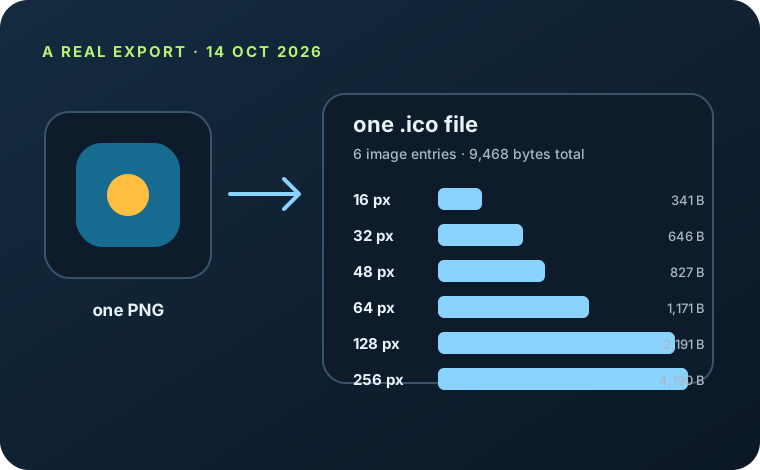
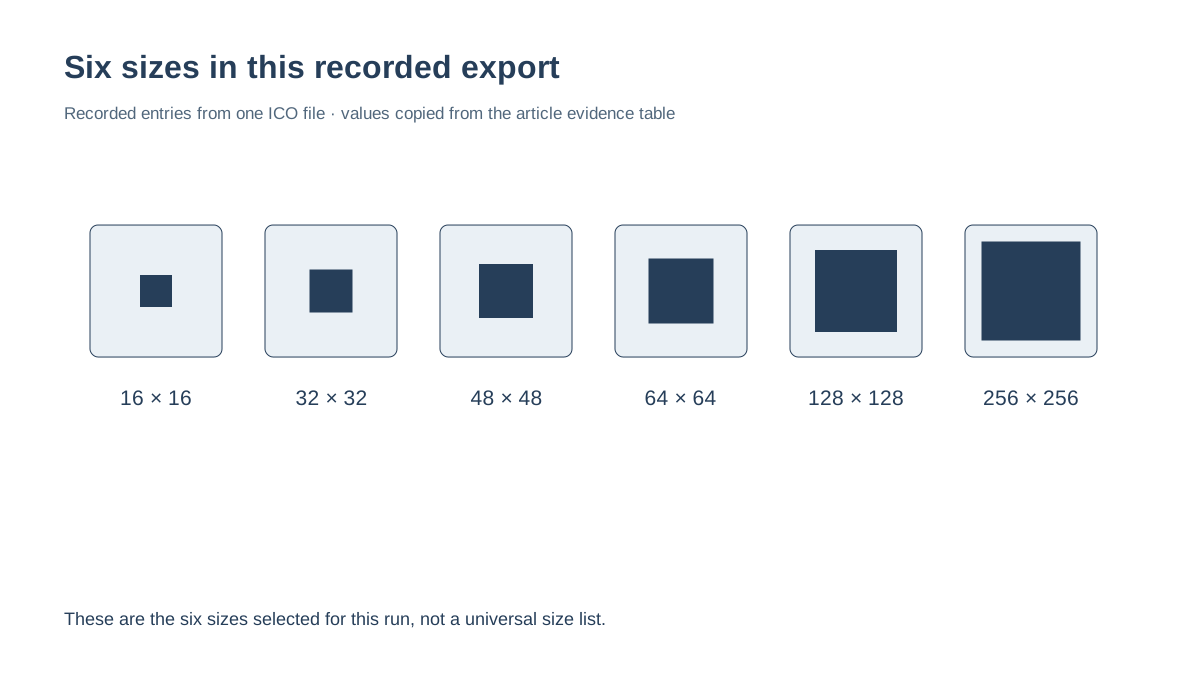
The tested ICO contained 16, 32, 48, 64, 128, and 256 px images. Its actual 16 px image shows a blue rounded tile with a gold center. The figures below come from the downloaded file, not a size estimate.
This is one measured export from this site's browser converter. The byte counts and selected sizes describe this file; another image or converter can produce different results.
What an ICO file contains
Think of an ICO as one file that can carry several raster versions of an icon. A program can choose an image entry that fits its requested display size instead of stretching one bitmap for every situation. Microsoft documents icon resources as storing multiple images and describes automatic selection of the best matching image for a requested size and display color depth.
That is why an ICO file is different from a folder of separate PNG exports: the selected images travel together in one downloadable file. The six sizes in the experiment below are the converter's selected defaults for that run, not a universal prescription for every icon file format or application.
What one real ICO download contained
On 14 October 2026, I selected the 320 × 320, 1,402-byte sample PNG in this site's live converter and kept its six size boxes selected. The browser reported a six-layer download. I saved the resulting ICO and parsed its directory and payload offsets.
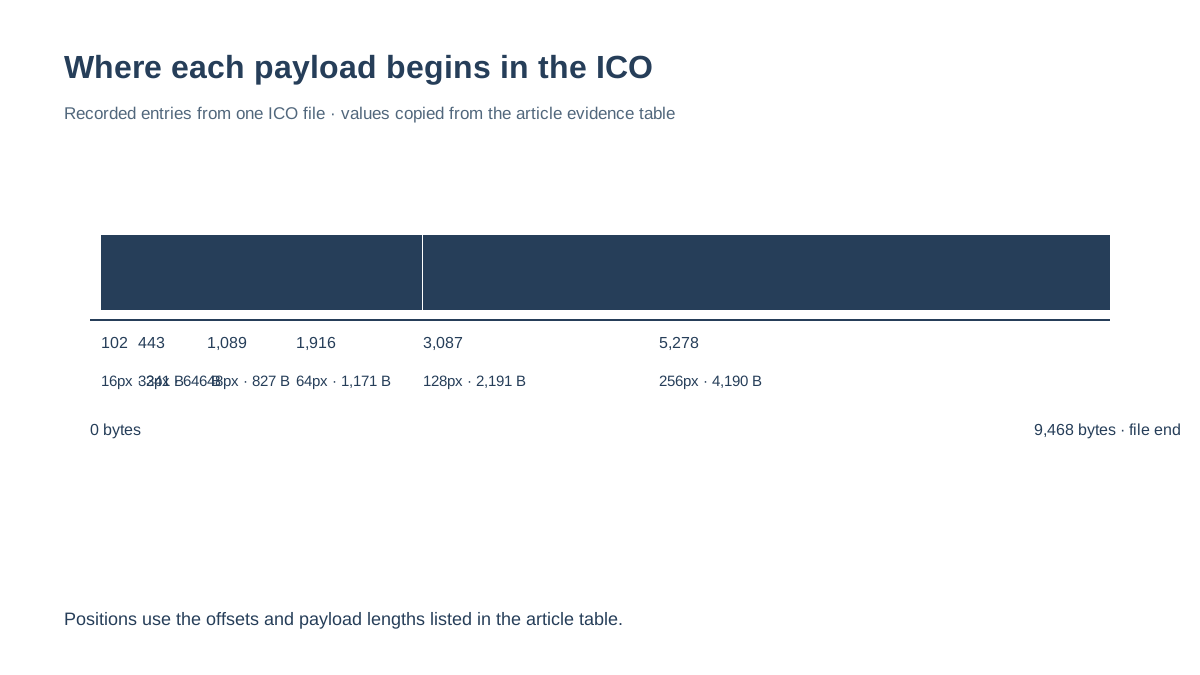
The saved file measured 9,468 bytes. Its six embedded PNG payloads measured 341 bytes at 16 × 16, 646 at 32 × 32, 827 at 48 × 48, 1,171 at 64 × 64, 2,191 at 128 × 128, and 4,190 at 256 × 256. Together, the image payloads used 9,366 bytes; the remaining 102 bytes were the difference between the whole file and those measured payloads in this sample.
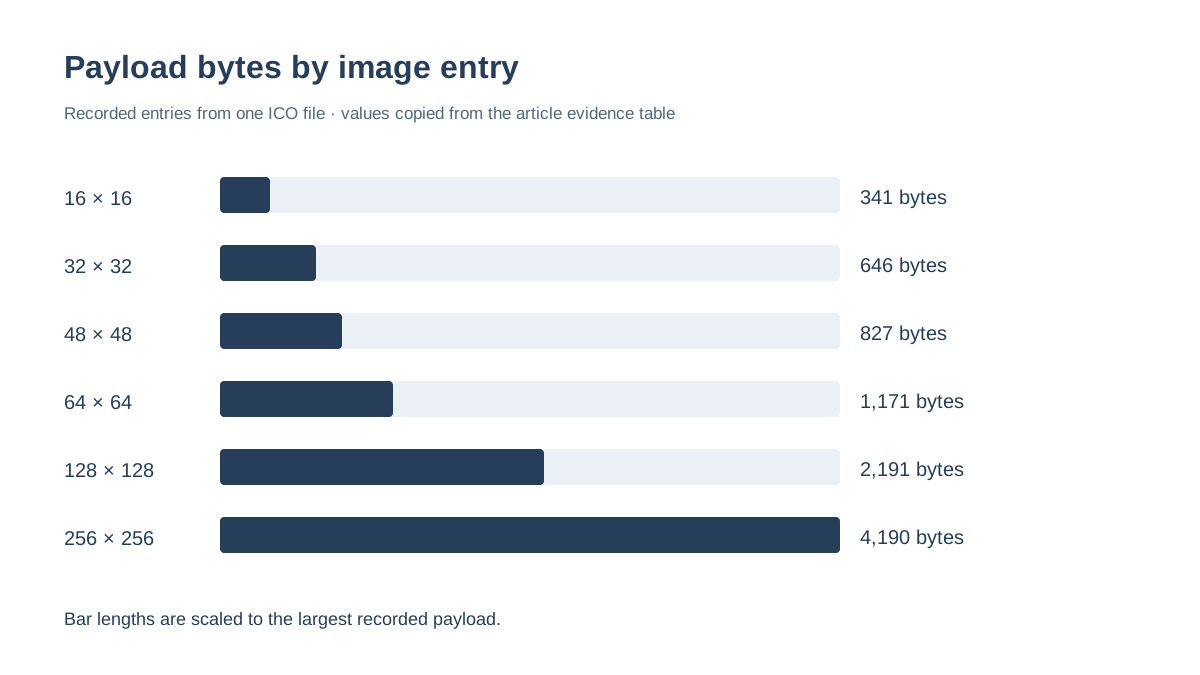
Each recorded payload begins at an offset inside the saved ICO and ends at or before byte 9,468. The 16 × 16 entry is itself a 341-byte PNG. When rendered at its native size, the blue rounded tile and gold center remain distinct, though the artwork's fine edges are necessarily small. This is a result for this source and this converter run, not a promise about other ICO files.
How to check the ICO you downloaded
Check the actual file after export. Read how many image entries it contains, note each width and height, and verify every payload range fits within the file's total byte length. Then decode and view the entry intended for the smallest display size you care about. These checks answer separate questions: whether the file contains the requested sizes, whether its data is inside the file, and whether the artwork is still legible at small scale.
For this sample, the six recorded offsets are 102, 443, 1,089, 1,916, 3,087, and 5,278 bytes. Their corresponding payload lengths end at 443, 1,089, 1,916, 3,087, 5,278, and 9,468 bytes. The downloadable inspection script reads those values from the saved sample; the CSV lists them in a compact form.
If you only need one ICO image size, select the one your target asks for. If several contexts will use the icon, include the corresponding entries and inspect the downloaded file again. A short list of entries is not automatically an error; it is a mismatch only when it lacks a size your actual destination requires.
Choose sizes for the program that will read the file
Windows uses different icon sizes for different interface locations and display densities. Microsoft's Win32 documentation lists typical icon resource images at 16, 32, 48, and 256 pixels and says the system selects a best match for the requested size. Those documented examples explain why multiple images can be useful; they do not mean that every application accepts the same package or needs every listed size.
If an application, installer, or upload form provides its own ICO requirements, follow those instructions. When it does not, check the icon in the actual place it will appear and keep the measured file available so you can compare its image entries with the requirement.
Inspect the measured ICO file
Browser test on 14 October 2026: one 320 × 320 PNG, all six default size boxes selected, then the downloaded ICO parsed locally. Payload lengths and offsets are read from that saved file.
| Entry | Image size | Embedded payload | Payload offset |
|---|---|---|---|
| 1 | 16 × 16 | 341 bytes · PNG | 102 bytes |
| 2 | 32 × 32 | 646 bytes · PNG | 443 bytes |
| 3 | 48 × 48 | 827 bytes · PNG | 1,089 bytes |
| 4 | 64 × 64 | 1,171 bytes · PNG | 1,916 bytes |
| 5 | 128 × 128 | 2,191 bytes · PNG | 3,087 bytes |
| 6 | 256 × 256 | 4,190 bytes · PNG | 5,278 bytes |
The whole ICO is 9,468 bytes. Its SHA-256 is 6b46f58af2447b46f5a28ec25a0782d2010e12793cd005358a49db9ae05bcf1f. The source PNG is 1,402 bytes; its SHA-256 is 78f36adb86d0596a0511e0bd905876f11a9305252a04103754add7cb2ce9e816. The measurements apply only to these saved files.

Create and verify an ICO file
- 01Choose your source image
Open the PNG you want to turn into an icon and keep the original available for comparison.
- 02Select the needed image sizes
Use the requirements of the Windows app, browser, or other destination that will read the ICO. One ICO can contain multiple size images.
- 03Download and inspect the ICO
Read the downloaded file's entry list and preview the size you care about. The filename alone does not tell you which images are inside.
FAQ
ICO file questions
Does an ICO file contain one image or several?
It can contain one or more image entries. The tested file in this guide contained six PNG entries at 16, 32, 48, 64, 128, and 256 pixels.
How do I make an ICO file from a PNG?
Choose the PNG, select the image sizes needed by the program that will use the icon, convert, and download the resulting ICO. Inspect the saved file to confirm its entries.
How can I check an ICO file download?
Read its image-entry list, compare the dimensions with the destination's requirements, check that each payload ends within the file, and preview the relevant size.