PNG to ICO converter file-transfer test
PNG to ICO Converter: Does Your Image Leave the Browser?
Sometimes. In our 29 September 2026 test, ConvertICO, PNGtoICO.com, and XConvert sent the sample PNG to a conversion endpoint. Nine other tested flows showed no image-bearing upload request in the captured traffic; one converter failed before conversion. If an image must stay on your device, choose a browser-only workflow and verify the actual request path yourself.
Convert a PNG to ICO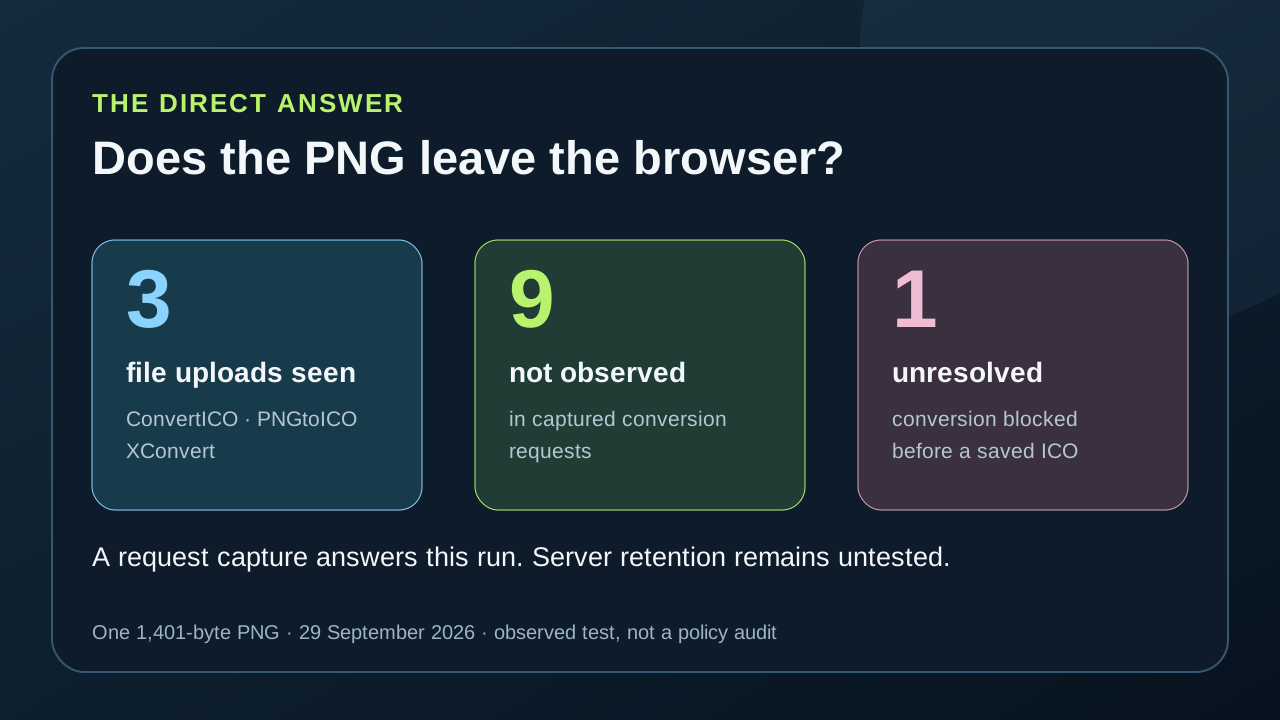
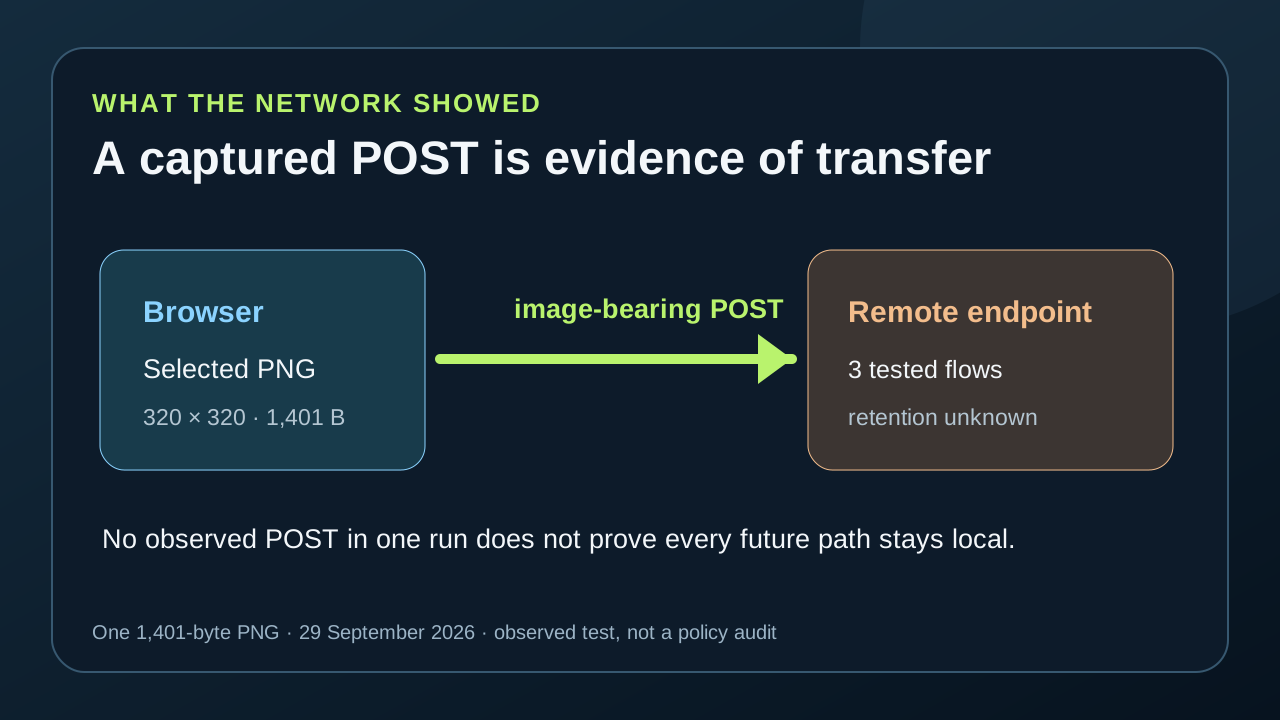
We used one synthetic 320 × 320 PNG of 1,401 bytes at 13 sites. Eleven delivered a verifiable ICO or ZIP. A captured file POST establishes that this sample left the browser; absence of an observed upload in one run is narrower evidence and cannot prove a permanent no-upload policy. We did not establish whether any server kept the file, and testing one free conversion did not establish any site's free-tier limit.
This is an observation of the tested pages, settings, browser session, and one sample on 29 September 2026. It is not a security audit or a statement about every file path a service offers. The saved outputs and measurement CSV are linked below.
Which tested flows sent the sample file?
The browser recorded the sample going to ConvertICO's convert_script.php endpoint and PNGtoICO.com's functions/convert.php endpoint; both returned downloadable ICO files. XConvert sent the same 1,401-byte file to its edge upload endpoint, but our approximately 5.5-second post-convert observation did not yield a verifiable ICO. That last result is an incomplete run, not proof that XConvert always fails or requires payment.
In nine other completed runs we observed no image-bearing POST, PUT, or PATCH request while selecting and converting the sample: PNGConvert, TheCalcu, Caspian Office, Toolz.dev, shrink.run, Pi7, MorphFlux, EditItAll, and PixelTools. Toolz.dev did send usage-statistics requests; those were not the sample image. We cannot infer every possible route, future release, or server-side retention from this one capture. SmallStudyTools raised a page script error after file selection and left its convert button disabled, so we could not classify a completed file transfer there.
What did the same PNG actually produce?
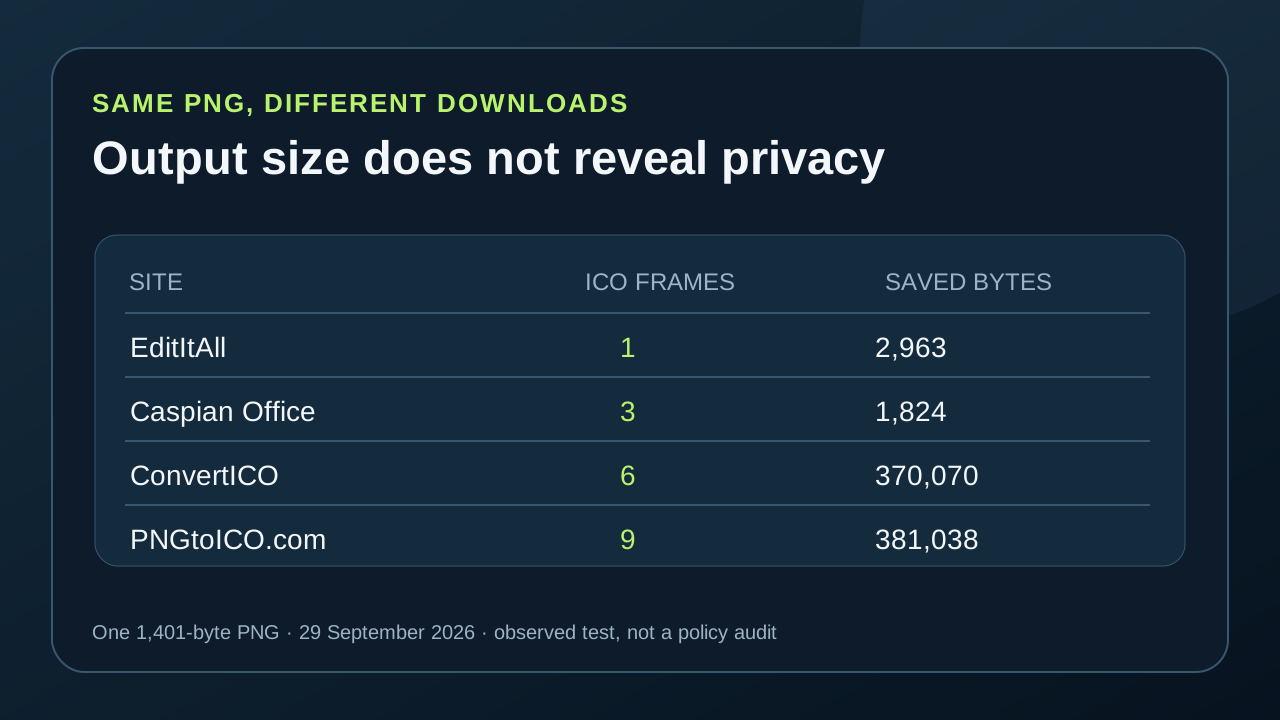
The two successful upload flows illustrate why privacy and output are separate checks. ConvertICO returned a six-frame 370,070-byte ICO; PNGtoICO.com returned a nine-frame 381,038-byte ICO. Among completed single-ICO downloads, EditItAll gave one frame and 2,963 bytes, while Caspian Office and PixelTools each gave three frames and exactly 1,824 bytes. Their two saved files also have the same SHA-256 value for this sample. Toolz.dev and MorphFlux each yielded a four-frame 5,002-byte file with matching hashes. Those matches are file-level observations; they do not establish shared ownership or code.
Pi7 produced a 2,280-byte ZIP instead of one multi-frame ICO. Its three contained files held one 16-, 32-, or 48-pixel frame and measured 425, 582, and 903 bytes respectively. Eleven of the 13 tested sites yielded a verifiable download, but that total says nothing about how an untested image or a different default setting would behave. The row-by-row results below keep upload observations beside exact saved bytes and frames.
What remains untested
We converted one 1,401-byte PNG per site. We did not push batch counts, maximum input sizes, account gates, paid tiers, or API endpoints. One free download establishes only that one sample reached download without payment; it is not a claim of one free conversion per user. We also did not check whether a server deletes an uploaded PNG after conversion. Where a request was not observed, the honest label is no upload observed in this run, not guaranteed private forever.
For this site's own PNG to ICO tool, the converter code reads the selected file and assembles the ICO from browser canvas data. That is the workflow to use here when you want to avoid submitting the image to a conversion server. If the artwork is sensitive, verify your own session as well: open the network panel, convert a disposable sample first, and confirm the final ICO contains the sizes you need.
One PNG across 13 converter flows
29 September 2026; identical synthetic PNG, 320 × 320 pixels and 1,401 bytes. ICO frames and byte lengths were parsed from saved files; upload observations came from browser request capture.
| Converter | Observed file upload | Saved output | Result |
|---|---|---|---|
| ConvertICO | Yes: convert_script.php | 6-frame ICO; 370,070 bytes | Downloaded |
| PNGConvert | Not observed | 4-frame ICO; 5,841 bytes | Downloaded |
| TheCalcu | Not observed | 4-frame ICO; 5,853 bytes | Downloaded |
| Caspian Office | Not observed | 3-frame ICO; 1,824 bytes | Downloaded |
| Toolz.dev | Not observed; usage telemetry seen | 4-frame ICO; 5,002 bytes | Downloaded |
| SmallStudyTools | Unresolved | No ICO | Page script error |
| shrink.run | Not observed | 3-frame ICO; 1,962 bytes | Downloaded |
| Pi7 | Not observed | ZIP; 3 separate one-frame ICOs | Downloaded |
| MorphFlux | Not observed | 4-frame ICO; 5,002 bytes | Downloaded |
| XConvert | Yes: edge upload endpoint | No verified ICO | Upload completed; download unresolved |
| PNGtoICO.com | Yes: functions/convert.php | 9-frame ICO; 381,038 bytes | Downloaded |
| EditItAll | Not observed | 1-frame ICO; 2,963 bytes | Downloaded |
| PixelTools | Not observed | 3-frame ICO; 1,824 bytes | Downloaded |
Not observed means the captured conversion flow contained no image-bearing POST, PUT, or PATCH request. It is not a guarantee about other requests, settings, or future behavior. Server retention was not measured for any site.

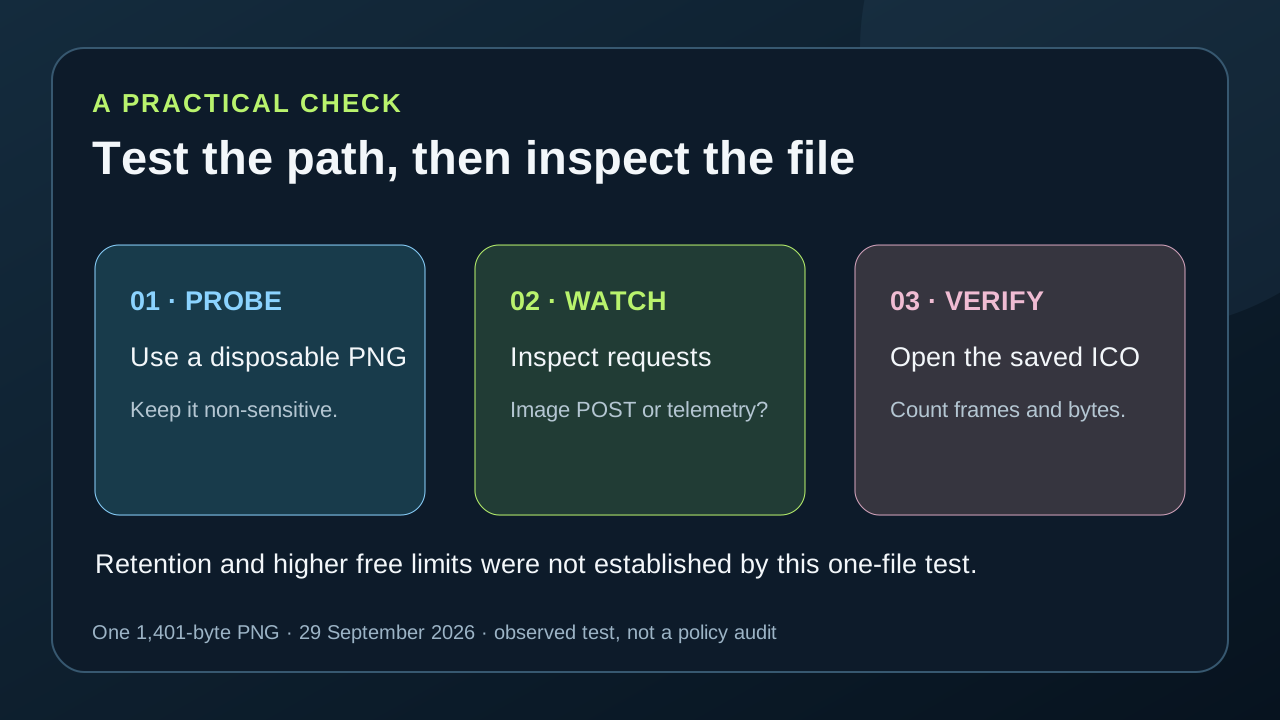
Check a converter before using private artwork
- 01Start with a non-sensitive test PNG
Use a disposable image, as we did, and keep its exact dimensions and byte length. Avoid using an unreleased logo as the first probe of an unfamiliar converter.
- 02Observe the conversion request
Open the browser network panel before choosing the file. Check whether a request carries the image to a remote endpoint when you select or convert it. Record the endpoint and distinguish it from page analytics or other telemetry.
- 03Download and inspect the ICO
Confirm that a real file arrived, then count its ICO entries and bytes. A successful upload does not prove a successful conversion, and an ICO filename does not reveal which image sizes were saved.
FAQ
PNG to ICO upload questions
Does a missing upload request prove the converter never uploads?
No. It describes this recorded run only. Check the current conversion path and settings in your own browser before using sensitive artwork.
Do the tested servers delete the PNG after conversion?
Unknown. We observed file uploads at three flows but did not test retention or verify their deletion policies.
Did each converter allow only one free file?
We tested one PNG per converter. A successful free download does not establish the maximum free allowance, which remains untested.