PNG to ICO file size lab
PNG to ICO File Size: Check Layers Before Bytes
Check the saved image sizes before choosing a smaller ICO. In our same-source test, a 1,170-byte file held 16- and 32-pixel images; a 6,834-byte file also held 48- and 256-pixel images. Choose the layers your destination needs, then compare bytes.
Convert a PNG to ICO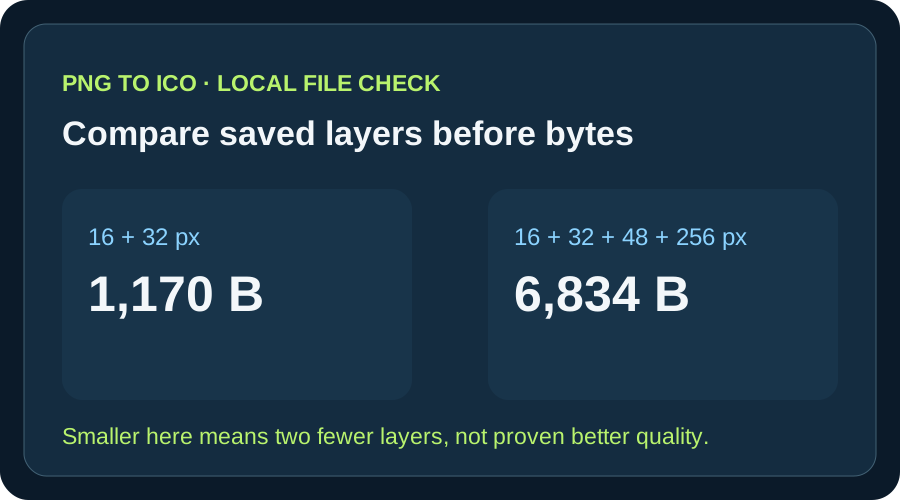
The two files in this experiment came from one 320 × 320 transparent PNG using Pillow 12.3.0. The small file is 5,664 bytes lighter because the export requested two fewer images; the shared 16- and 32-pixel PNG payloads are byte-for-byte the same lengths in both. This observation does not rank converter quality or prove that every larger ICO is more useful. It shows why a file-size number needs a layer list beside it.
These are original local exports dated 27 September 2026, not outputs from this website's converter or a market-wide benchmark. The source PNG, both ICOs, measurements, and scripts are downloadable below. Re-running with a different Pillow version may change exact byte counts.
What changed between our two exports
We copied one synthetic 320 × 320 square PNG into a dedicated sample folder. The reproduction script asked Pillow for 16 and 32 pixels in one export, then 16, 32, 48, and 256 pixels in another. It saved both ICOs and parsed their directory entries from the bytes on disk. The resulting two-layer file is 1,170 bytes. The four-layer file is 6,834 bytes. This makes the comparison controlled: input artwork and encoder are the same; requested layer sets differ.
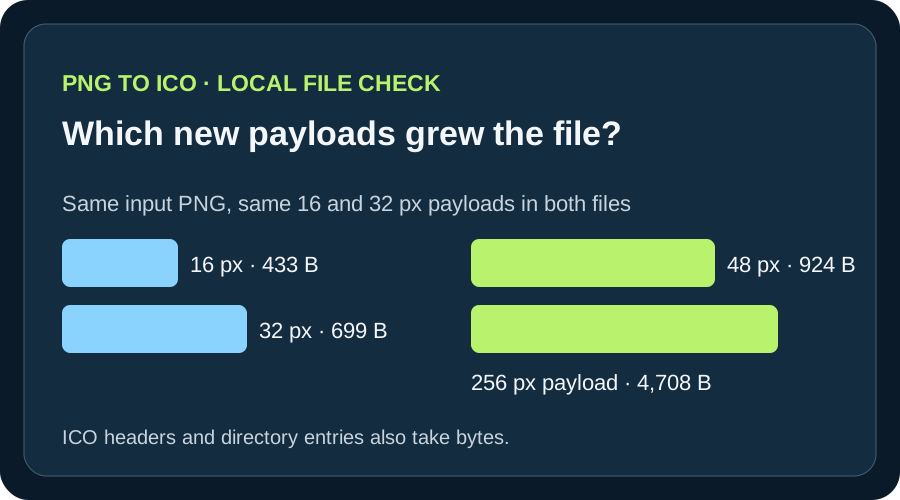
The 16-pixel payload is 433 bytes in each ICO, and the 32-pixel payload is 699 bytes in each. The larger ICO adds a 924-byte 48-pixel PNG payload and a 4,708-byte 256-pixel PNG payload, plus directory-entry overhead. Subtracting the whole-file lengths gives 5,664 bytes. That difference is specific to this image and this Pillow run. It is not a predicted saving for other artwork.
Why bytes alone cannot select the right ICO
A file can be small because it contains fewer frames, because its payloads compress well, or because the encoder uses a different representation. The number alone does not tell you which cause applies. Our previous downloaded-file matrix demonstrates that web converters can produce different frame sets and PNG or DIB payloads from the same inputs; that separate audit is linked below. Here, the smaller file is specifically a two-frame export, so it would be an incomplete substitute wherever the 48- or 256-pixel layers are required.
Microsoft's Windows icon guidance lists 16, 32, 48, and 256 pixels for a full application icon set. That is a useful example, not a universal rule for every favicon or custom application. Select sizes for the actual destination, inspect the ICO, and look at the artwork at the sizes that will be displayed. A valid layer can still be visually weak, so passing this byte-and-frame check is only one part of release review.
How to reproduce or challenge this result
Download the source PNG and run reproduce.py with Pillow 12.3.0. The script writes both ICOs, checks the header and directory bounds, asserts the exact requested dimensions, and exports a row for each frame in measurements.csv. You can inspect each ICO with another icon reader as an independent cross-check. If your local run differs, compare your Pillow version, input hash, saved frame dimensions, and payload encoding before drawing a conclusion from the byte count.
For a decision of your own, use your own artwork and desired sizes. Record at least the directory count, dimensions, and bytes. Then test the chosen output in the target interface. The purpose of this small controlled test is a repeatable decision method, not a recommendation that all ICO files should have either two or four layers.
Two exports from one local PNG
Measured from files written locally on 27 September 2026 with Pillow 12.3.0; both used square-art.png at 320 × 320 pixels.
| ICO | Saved bytes | Decoded directory frames | Payload encoding |
|---|---|---|---|
| small-pair.ico | 1,170 | 16 × 16; 32 × 32 | PNG; PNG |
| full-set.ico | 6,834 | 16 × 16; 32 × 32; 48 × 48; 256 × 256 | PNG in all four frames |
The frame-by-frame CSV includes payload lengths. Header and directory bytes account for the difference between summed payload bytes and total ICO bytes. This test does not measure visual preference, loading speed, or performance in a destination app.

A file-size check that does not hide missing layers
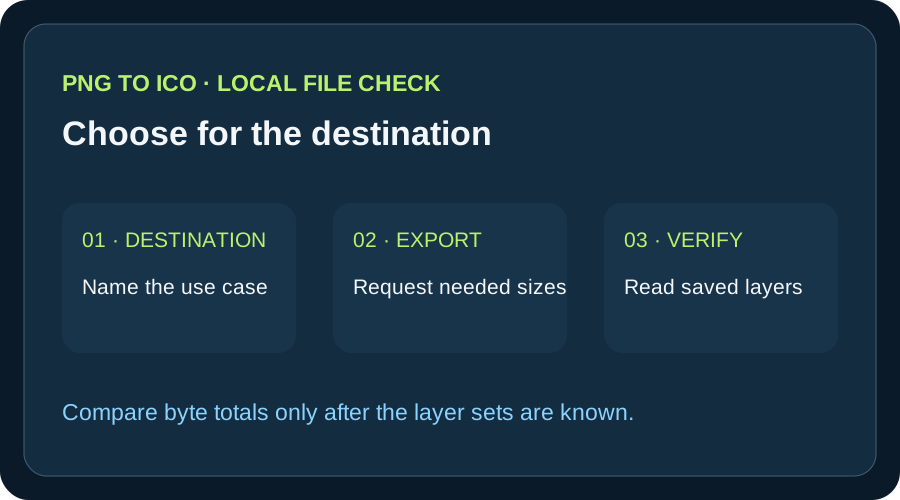
- 01Name where the ICO will be used
A favicon and a Windows application icon may have different layer needs. Write down the display sizes your destination calls for before optimizing the file.
- 02Export and inspect the actual file
Record the saved ICO byte length, directory count, each frame dimension, and its encoding. Requested sizes on a form are not proof of what was written.
- 03Compare like with like
If two files contain different layer sets, state that difference first. To decide which is smaller for the same job, compare files that contain the layers you need and inspect their appearance at those sizes.
- 04Keep evidence with the choice
Save the input PNG, generated ICO, measurements, and export settings so you can repeat a surprising result instead of relying on a screenshot or the filename.
FAQ
PNG to ICO file size questions
Is the smallest PNG to ICO output always best?
No. In this experiment the smallest output lacks two sizes that the larger one contains. Check the sizes your destination requires, then inspect appearance and bytes.
Why did the four-layer file grow by more than 5 KB?
For this particular source and Pillow run, the additional 48- and 256-pixel PNG payloads are 924 and 4,708 bytes, with additional directory overhead. Different artwork may compress differently.
Can I infer quality from ICO bytes?
No. Byte count describes storage. It does not identify every frame, prove that the design reads at small size, or show how the target app displays the icon.