ICO to PNG batch field test
Can You Batch Convert ICO Files to PNG? Four Tools Tested
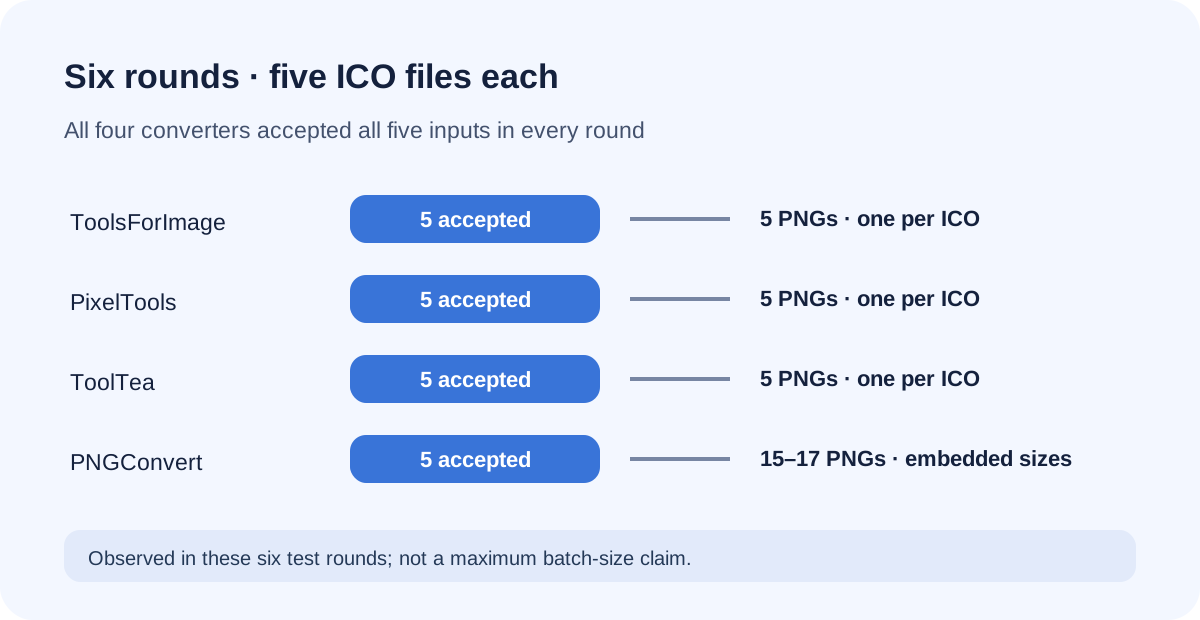
Yes. In six five-file rounds, all four converters accepted all five ICO files in every run (24 completed tool runs). ToolsForImage, PixelTools, and ToolTea each returned one PNG per ICO; only PNGConvert returned separate PNGs for embedded ICO sizes. This result describes these tested rounds, not a batch limit. The earlier two-file test remains below.
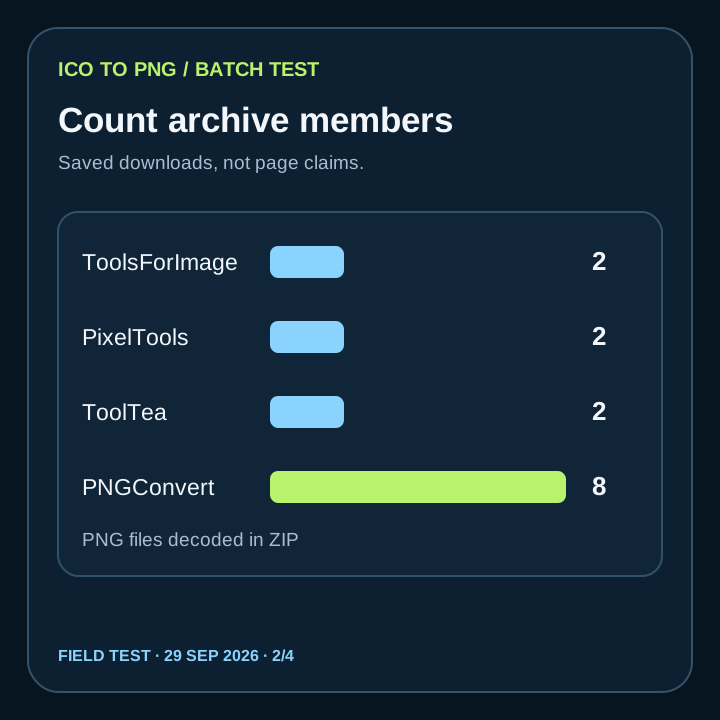
For these two four-size ICO files, ToolsForImage, PixelTools, and ToolTea each downloaded two 256×256 PNGs. PNGConvert downloaded eight PNGs: 16, 32, 48, and 256 pixels for each input. Our own ICO-to-PNG tool handles one input at a time; it is not a batch converter.
Observed on 29 September 2026 with one test icon duplicated under two filenames. Results describe this run, not a tested service limit or guarantee for other files.
What changed in six five-file rounds
We tested six groups of five ICO files. Every one of the four converters accepted all five files in each group: 24 completed converter runs, with no selected input omitted from the acceptance count. In these tests, ToolsForImage, PixelTools, and ToolTea each produced five PNGs per archive, one for each ICO. Only PNGConvert produced separate PNGs for the embedded sizes.
| Group | Accepted by each converter | ToolsForImage PNGs | PixelTools PNGs | ToolTea PNGs | PNGConvert PNGs |
|---|---|---|---|---|---|
| 1 | 5 of 5 | 5 | 5 | 5 | 15 |
| 2 | 5 of 5 | 5 | 5 | 5 | 16 |
| 3 | 5 of 5 | 5 | 5 | 5 | 15 |
| 4 | 5 of 5 | 5 | 5 | 5 | 16 |
| 5 | 5 of 5 | 5 | 5 | 5 | 15 |
| 6 | 5 of 5 | 5 | 5 | 5 | 17 |
PNGConvert output sizes across the 94 downloaded PNGs
Across these six PNGConvert archives, the 94 downloaded PNGs break down by decoded dimensions as follows. The per-run CSV links each row to its saved download archive and includes the archive SHA-256 so the counts can be checked against the files.
| PNG dimensions | Files counted |
|---|---|
| 16×16 | 19 |
| 32×32 | 18 |
| 48×48 | 14 |
| 64×64 | 14 |
| 128×128 | 13 |
| 256×256 | 16 |
| Total | 94 |
The six runs show that these four converters accepted five selected ICOs in each tested batch. They do not establish the maximum batch size, a paid-plan limit, or how any service handles a larger upload.
What we sent and what we counted
The two inputs, square-art-a.ico and square-art-b.ico, were byte-identical 6,834-byte files with SHA-256 B57D5914DACE2CF2AD8C6597DDB14ED26F3D5F04741CF8978D7AC8F60E391CBC. Each contained 16×16, 32×32, 48×48, and 256×256 image entries. Using identical bytes under different names isolated multi-file handling from differences in icon artwork.
For this test, accepted means the converter listed both selected files. Completed means we downloaded an archive and decoded its PNG members from disk. A success banner alone was not counted as an exported PNG. The archived results and per-file dimensions were recorded in our field-test CSV.
The batch result, by converter
| Converter | ICO files accepted | Downloaded PNGs | Output per ICO |
|---|---|---|---|
| ToolsForImage | 2 | 2 | one 256×256 |
| PixelTools | 2 | 2 | one 256×256 |
| ToolTea | 2 | 2 | one 256×256 with the tested default |
| PNGConvert | 2 | 8 | 16×16, 32×32, 48×48, 256×256 |
All four completed converters listed both inputs and produced a downloadable archive. ToolsForImage, PixelTools, and ToolTea each returned a pair of 256×256 files with distinct names corresponding to the two ICO inputs. PNGConvert placed eight files in its archive, with a size suffix for every exported image. That is a batch of two inputs and a total of eight outputs, not eight uploaded ICO files.
The result separates two questions that a generic batch label leaves open: how many ICO files the page accepts in one operation, and how many PNGs it exports from each ICO. Both matter when the input ICO stores several sizes. If you only need one representative PNG per file, the first pattern matched this test. If you need the embedded size set from each file, only PNGConvert produced that set in this four-tool run. For a wider single-file size comparison, see our ICO-to-PNG output matrix.
What the downloaded pixels showed
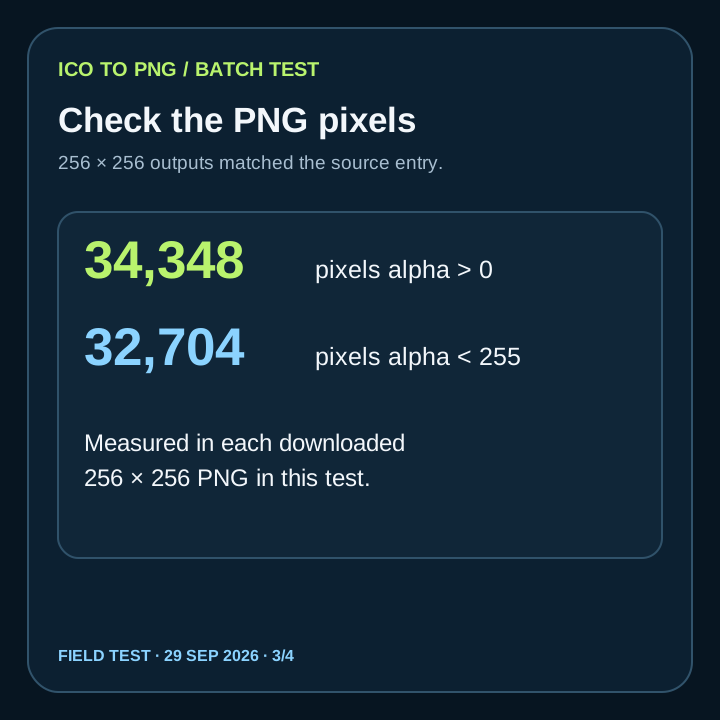
Each of the downloaded PNGs had non-opaque alpha values when decoded locally. For every 256×256 result, 34,348 pixels had alpha above zero and 32,704 had alpha below 255, matching the measured 256×256 input image entry. This checks transparency in these saved files; it does not prove that every ICO, every transparency method, or every converter setting will behave the same way.
A practical choice before a large batch
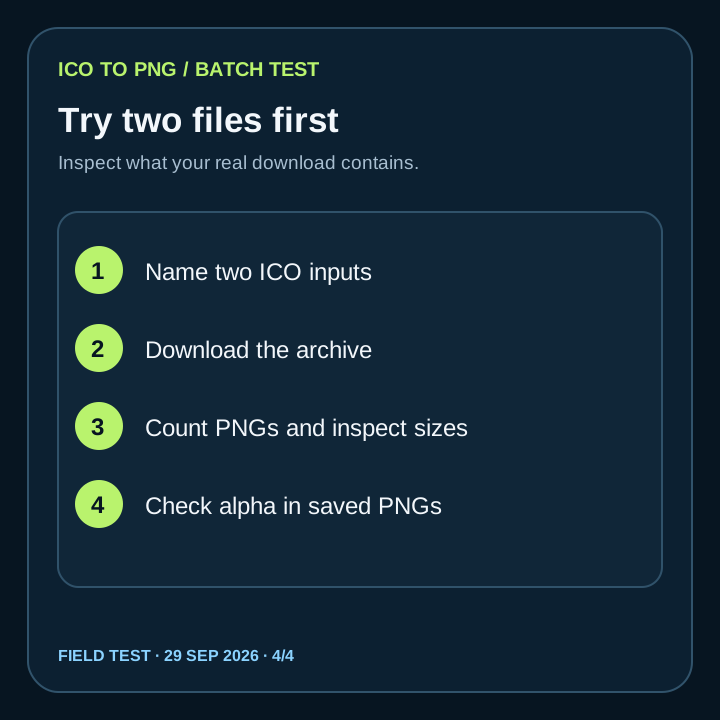
First inspect one source ICO to see which image sizes it actually contains. Then run two named files through your chosen converter, download the archive, and compare member names, counts, dimensions, and alpha with the source. A two-file trial reveals whether the site preserves a one-output-per-input mapping or expands each icon into multiple size files. Repeat with your real files before relying on a large job; our two-file trial did not measure a maximum batch size or failure recovery.
Convertio was a separate incomplete attempt. Both files appeared ready, but its cookie-consent dialog stopped conversion before a download. We have no Convertio output count or pixel result and did not include it among the four completed tools. Our own ICO-to-PNG page accepts one file and exports a selected image, so use it for an individual icon rather than expecting a multi-file queue.
What happens when one of five ICO files is damaged
We selected four valid control files and one deliberately damaged ICO together in each converter. The four controls were byte-identical copies of the same 356-byte, single-image 256×256 ICO, renamed separately. To make the damaged input, we copied that ICO and kept only its first 22 bytes: the 6-byte ICO header and its 16-byte directory entry, with the image payload removed. The damaged file was 22 bytes; the controls were 356 bytes each. We selected the four controls first and the damaged file last. The input manifest and a script that recreates the exact files are in the evidence ZIP.
The test asks whether the page continues processing the four valid files when it encounters the damaged one. “Accepted” below means the page listed or processed the selected item. For ToolsForImage and PixelTools, the downloaded output package was not captured, so their PNG counts are marked “Not captured”: a success banner or visible result rows are not used as a package count. The ToolTea and PNGConvert counts below reflect the completed PNG outputs visible on their pages. These page results do not validate the image content of every exported PNG.
| Converter | Sent / accepted | PNG outputs shown or reported | Failed / rejected | Exact page message and batch behavior |
|---|---|---|---|---|
| ToolsForImage | 5 selected; 5 listed | Not captured | 0 reported | The local download package was not captured. The page showed “All images converted and downloaded successfully!”, but that banner is not a package count. |
| PixelTools | 5 accepted | Not captured | 0 visible | The local download package was not captured. The page showed five result rows, including a 2.3 KB row for the malformed input, but row count is not used as a package count and the PNG was not opened. |
| ToolTea | 5 accepted | 4 visible PNGs | 1 | Malformed file: “Error: Could not decode any entries”. Its four controls completed; the page total was “Converted: 4 PNG files → 9.2 KB total (PNG)”. The failure did not stop the four valid files. |
| PNGConvert | 5 selected; 4 accepted; 1 rejected before conversion | 4 completed PNGs | 1 | Malformed file: “"00-truncated-payload.ico" looks like an ICO file but its contents are damaged.” Four valid files each showed “Done — one PNG file at 256×256”. The page rejected one file and continued with the other four. |
In this one run, none of the four pages stopped the entire batch. ToolTea isolated the decode error and completed four files; PNGConvert rejected the damaged file during file inspection and converted the four valid controls; PixelTools showed a completed output row for all five, including the malformed input; ToolsForImage showed a batch-wide success alert without an itemized output count. This is one deliberately truncated ICO and one set of four duplicate controls, not a test of every kind of corruption or a general reliability guarantee.
Reproduce the exact inputs and review the verbatim page messages in the [five-file malformed ICO test evidence ZIP](assets/ico-to-png-batch/malformed-five-file-test-evidence.zip). The converters tested were [ToolsForImage](https://toolsforimage.com/batch/ico-to-png), [PixelTools](https://pixeltools.io/convert/ico-to-png), [ToolTea](https://tooltea.com/image/ico-to-png), and [PNGConvert](https://pngconvert.net/ico-to-png/).
FAQ
Batch conversion questions
Does batch conversion mean every ICO size is exported?
No. In six five-file rounds, ToolsForImage, PixelTools, and ToolTea returned one PNG per ICO, while PNGConvert returned separate PNGs per embedded size. The earlier two-file test is preserved below; results describe only the tested inputs.
Did you find a maximum number of ICO files for these sites?
No. All four converters accepted five ICOs in each of six tested runs. We did not test any service’s upper batch limit or plan limits.
What if a converter shows two files but no downloaded output?
Treat the run as incomplete until a PNG can be downloaded and opened. Convertio showed both inputs ready in our attempt, but a consent dialog prevented conversion, so it has no measured output here.
Can I batch convert on pngtoicotool.com?
The current ICO-to-PNG tool handles one ICO at a time. This article compares third-party batch results and does not claim that our tool supports multi-file input.
- Our two-file test measurements (CSV)
- Decoded downloaded PNG outputs (CSV)
- Six five-file runs: measurements and direct download links (CSV)
- 24 saved converter downloads (ZIP evidence bundle)
- Related single-file ICO to PNG output matrix
- Microsoft Learn: Resource file formats (ICO image entries)
- W3C: PNG Specification, Third Edition (alpha)
- Five-file malformed ICO test: inputs, generator, and per-site results (ZIP)