Change PNG to ICO · measured animation case
Change PNG to ICO: What Happens to an Animated Source?
To change a PNG to ICO, select the PNG, choose the icon sizes, and download the ICO. If that PNG is animated, choose the still frame you want first: in our measured test, this tool saved the first frame of a two-frame PNG at every selected icon size. It did not make a moving icon.
Convert a PNG to ICO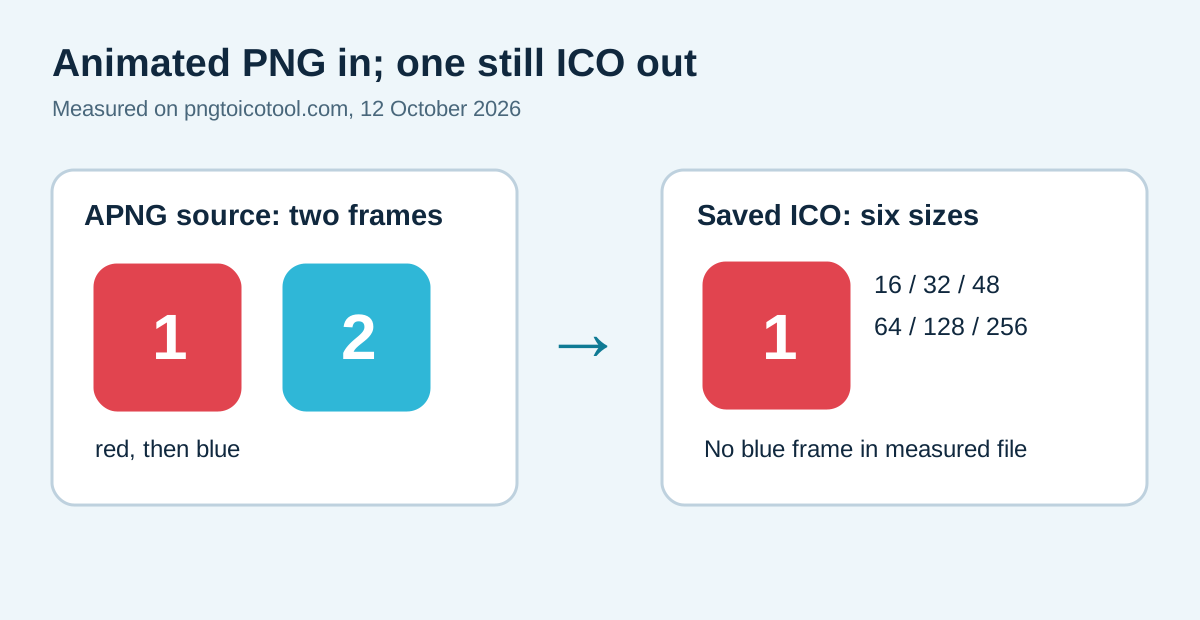
On 12 October 2026, a 128 × 128 animated PNG contained a red first frame and a blue second frame. We used the public converter three times after waiting 0.3, 2.6, and 5.2 seconds. Each download was a 7,076-byte ICO with six still image sizes: 16, 32, 48, 64, 128, and 256 pixels. All three files had the same SHA-256 digest, and each decoded 128-pixel image exactly matched the red first frame. This is a measured result for this sample, current site version, and Chrome test environment; other converters or browsers need separate checks.
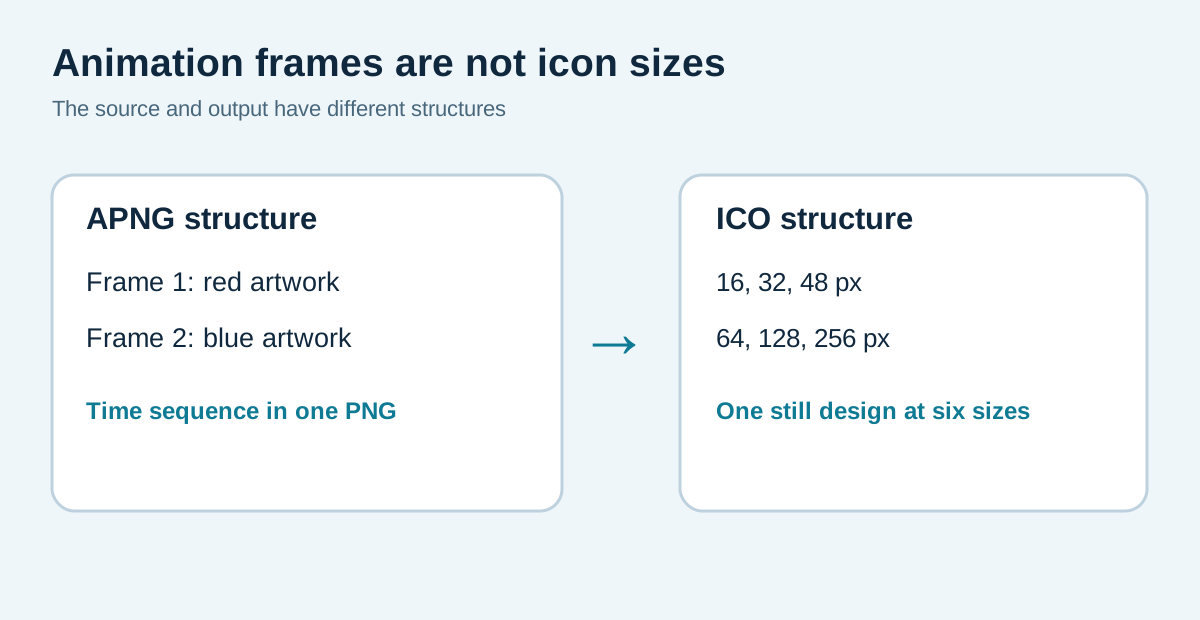
An ICO may hold multiple images for different pixel sizes. That is different from a timed animation sequence. The measured files below show exactly which content this converter saved in this test.
The controlled source and the three saved results
We drew two 128 × 128 RGBA images on transparent canvases. The red first frame carries the numeral 1; the blue second frame carries 2. We combined them into one 1,317-byte animated PNG with a two-second duration for each frame. A separate decoder read both frames and confirmed their center pixels differ: red (225, 68, 79, 255) versus blue (47, 183, 215, 255). This matters because a one-frame input would not test what a converter does with animation.
In headless Chrome, we selected the animated PNG in the public pngtoicotool converter, kept all six default size boxes selected, and downloaded after 0.3, 2.6, and 5.2 seconds. We saved the files instead of relying on the success message. The three ICO downloads were each 7,076 bytes and shared SHA-256 fe4dfe4145ac684b30896ee06009aeeeea630db26e640601493949731163b6f3. Their directories listed exactly the same six dimensions. The decoded 128 × 128 layer matched every RGBA byte of frame 1 and did not match frame 2.
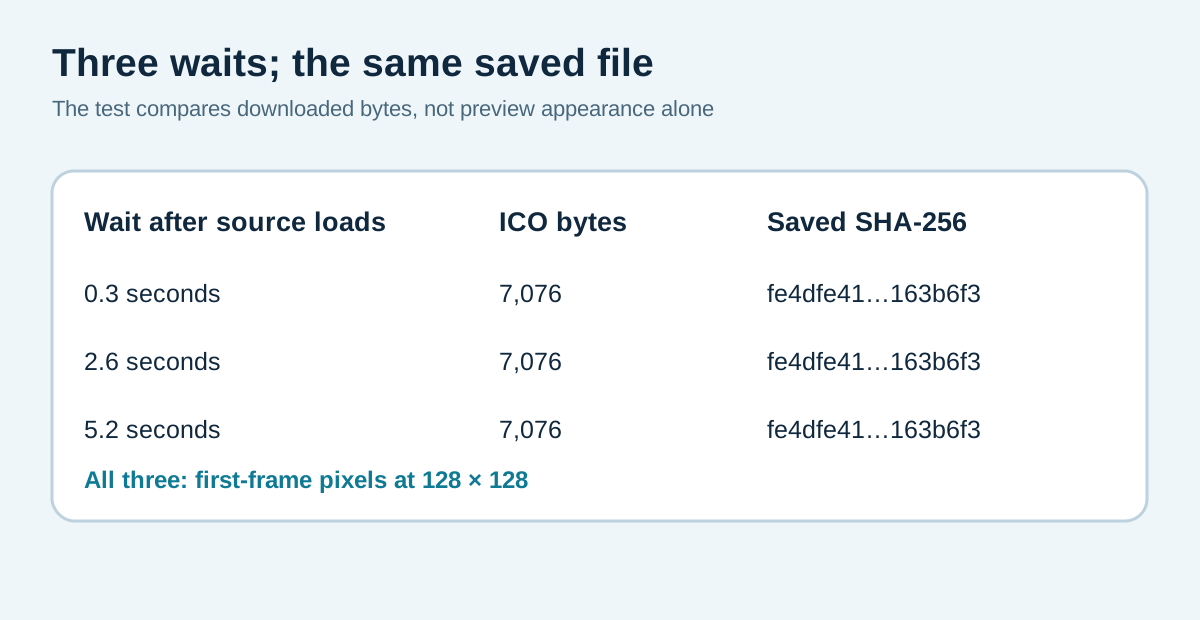
The observed browser preview also showed the red frame at the three sampling points. That observation alone would not prove the ICO contents, so the saved file inspection is the decisive check. We did not test every possible APNG disposal mode, animation timing, browser, or conversion service. Do not generalize this first-frame result to all animated PNGs or other tools.
Why six icon images do not mean six animation frames
The W3C PNG specification describes animation control and frame data in APNG. Microsoft's icon documentation describes an icon resource with images at different dimensions. These are different axes: time in the source and resolution in the output. In this measured ICO, all six sizes represent the red still drawing. A 16-pixel layer is not a later moment than a 128-pixel layer.
Use the intended frame, then check the destination
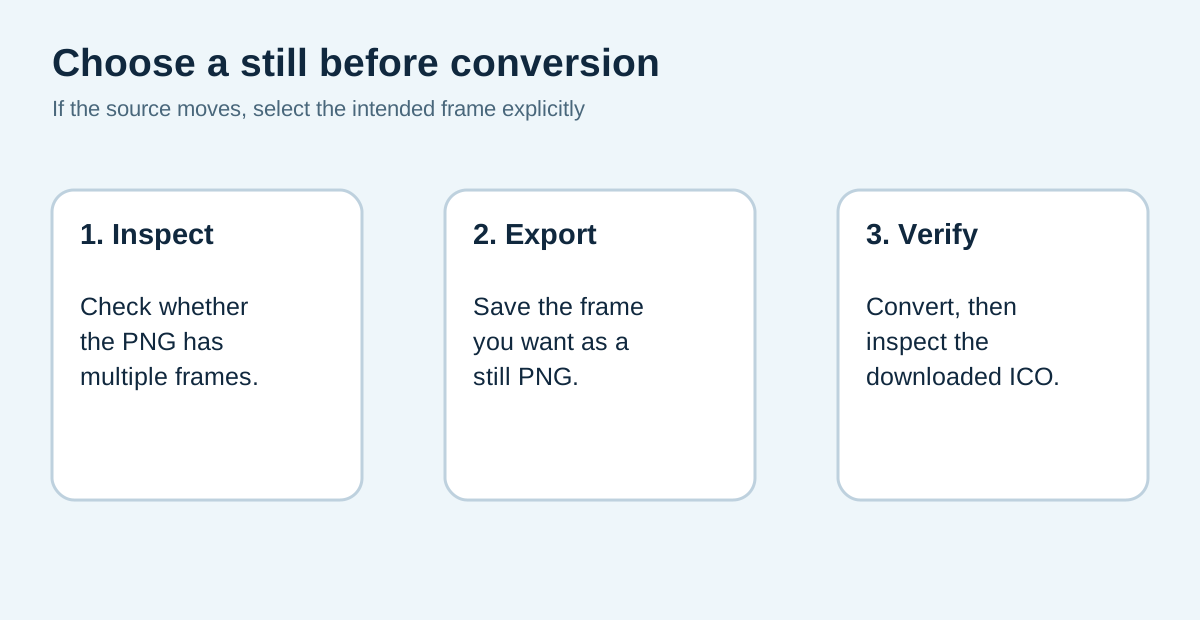
If your PNG is animated, first save the exact frame that should appear as the icon. Convert that still file and inspect the downloaded ICO rather than merely renaming the original file or assuming the output will keep motion. Keep the original APNG separately if the animation matters elsewhere. Then test the icon in the browser or application where you plan to use it, because that destination chooses which size to display.
The download bundle below contains both original still frames, the two-frame PNG, all three public-tool ICO downloads, a CSV with complete hashes, and scripts that regenerate the fixture and repeat the browser flow. This page reports a controlled output boundary of the existing PNG-to-ICO tool; the site's other guides cover transparency, size selection, source color types, and ordinary PNG metadata separately.
Inspect the APNG-to-ICO files
Public converter run on 12 October 2026 with the default six size boxes selected. The source is a synthetic, two-frame APNG; the output rows are saved downloads.
| Run | Wait after load | ICO bytes | ICO sizes | 128 px content |
|---|---|---|---|---|
| early.ico | 0.3 seconds | 7,076 | 16/32/48/64/128/256 | matches frame 1 |
| late.ico | 2.6 seconds | 7,076 | 16/32/48/64/128/256 | matches frame 1 |
| late2.ico | 5.2 seconds | 7,076 | 16/32/48/64/128/256 | matches frame 1 |
All three outputs share SHA-256 fe4dfe4145ac684b30896ee06009aeeeea630db26e640601493949731163b6f3. The test says nothing about another browser or service.



Change an animated PNG to the intended ICO
- 01Check whether the PNG moves
Open the source in an animation-aware viewer. A .png extension alone does not tell you whether it contains one image or multiple timed frames. In our sample, the file has two 128-pixel frames with two-second frame durations.
- 02Export the frame you actually want
If you want the blue frame, export that frame as a separate still PNG before using this converter. The included frame-1.png and frame-2.png files show the two possible inputs. Do not assume a later frame will be selected merely because the on-page preview seems to move.
- 03Choose ICO sizes and download
Select the still PNG in the converter, retain the size layers your destination needs, and download the ICO. The sizes describe alternative resolutions of one design, not moments in an animation.
- 04Inspect the saved icon
Open the downloaded ICO with a viewer or parser that lists every embedded size. Check the artwork in the relevant layer, especially the small one. If it shows the wrong frame, return to the source and export a different still image.
FAQ
Animated PNG and ICO questions
Does changing an animated PNG to ICO preserve motion?
The three ICO files in this test did not contain the blue second frame as an animation. Their six entries were different pixel sizes of the red first-frame design. Test your own converter and destination if animation is important.
Can I choose the second frame for my icon?
Yes: export the desired second frame as a separate still PNG, then convert that file. This tool's measured APNG run did not provide a frame picker.
Are six ICO layers six moments from the animation?
No. An ICO size list is a set of alternative resolutions. The measured 16 through 256 pixel layers used one still source frame.
Do these runs prove what every animated PNG will do?
No. We tested one two-frame APNG, one browser environment, one site version, three timing points, and the default six sizes. Different files or decoders may behave differently.