Site icon generator test
Site Icon Generator: What Ten Result Pages Produced From One PNG
Three of the ten result pages delivered an ICO, an Apple touch icon, and a manifest from the same transparent PNG without a login in this test: favicon.io, Logomakerr.ai, and favicon-generator.org. That is the package criterion used here. It says nothing about which design is better or how another image will behave.
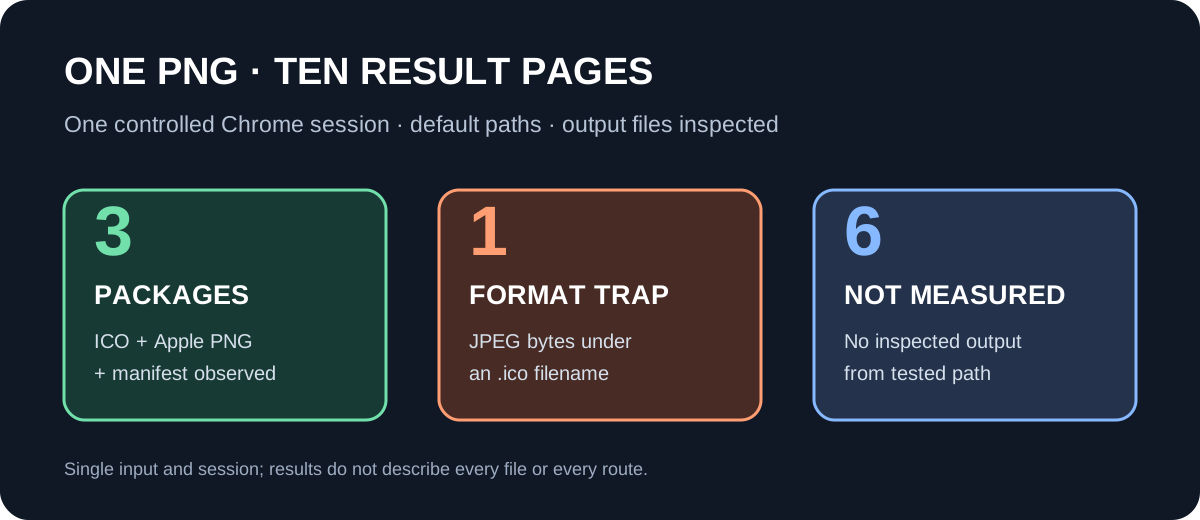
Three of the ten result pages delivered an ICO, an Apple touch icon, and a manifest from the same transparent PNG without a login in this test: favicon.io, Logomakerr.ai, and favicon-generator.org. That is the package criterion used here. It says nothing about which design is better or how another image will behave.
One 512 × 512 transparent PNG, one default workflow per result page, and one Windows Chrome 155.0.8059.84 session on 2026-10-18. Physical search location was not verified. A result marked not measured has no recovered output artifact.
The surprising failure was not a missing button. One converter delivered a file named .ico whose first bytes identified a JPEG, and its transparent corner had become opaque black. A filename, preview, or list of advertised sizes would not have caught that.
One input, unchanged defaults
I made a 512 × 512 PNG with transparent corners and a sharp central drawing, then used that exact file for every image-upload attempt. Its top-left alpha was 0 and its center alpha was 255. I left each site's default options selected and did not sign in. These are observations from one Windows Chrome 155.0.8059.84 session on October 18, 2026, not permanent properties of the sites. The version came from the local Chrome executable. I did not measure generation time.
The ten domains came from the organic result cards visible for site icon generator in an English-language Google query configured with hl=en, gl=us, and pws=0. Physical search location was not verified. The set includes converters, editors, and AI design platforms; it is not a list of ten interchangeable conversion tools.
What the downloads established
| Result page | Outcome with this PNG and default controls |
|---|---|
| favicon.io | Downloaded a seven-file ZIP: one ICO with 16, 32, and 48-pixel layers, five PNGs at 16, 32, 180, 192, and 512 pixels, and a manifest. Each measured PNG kept alpha 0 at the transparent corner. ICO alpha was not checked. |
| Logomakerr.ai | Its From Image path accepted the PNG without a login and downloaded a seven-file ZIP with those same dimensions. For this sample, the ICO and PNG entry payloads matched favicon.io's byte for byte; the manifests differed. |
| favicon-generator.org | Downloaded a 27-file ZIP. Its ICO directory contained one 16-pixel layer; separate PNGs covered favicon, Android, Apple, and Microsoft sizes. The package included manifest.json and browserconfig.xml. The measured image corner stayed transparent. |
| Shift4Shop | The default 16-pixel conversion returned a 1,507-byte download named .ico. Its header began FF D8 FF E0, a JPEG signature; the decoded file was a 16 × 16 JPEG, not an ICO. Its source-transparent corner became opaque black. |
| favicon.cc | The PNG reached its editor with Keep dimensions selected. Clicking Download Favicon led to Chrome's ERR_BLOCKED_BY_CLIENT page, so no output file was available to inspect. |
| RealFaviconGenerator | The upload button, hidden input, and drop area did not produce a file chooser in this browser-control session. No output was measured. |
| IONOS | The Image Upload panel was reached, but neither its upload link nor its file input produced a file chooser. The page then displayed Unsupported file format; no file had been selected. No output was measured. |
| Canva | The visible Create a favicon entry led to a sign-up URL, and the anonymous landing page had no PNG upload for this test. |
| Magnific | Its actual AI icon tool asked for a text description and displayed a sign-up prompt. The tested route did not accept this PNG as a conversion input. |
| LogoAI | Its default favicon route asked for a brand description. An Upload sample style option existed, but selecting it would change the default workflow and use the PNG as a design reference, not perform the same image conversion. |
Full test record: ten result pages and nine checks
Each row below records the same PNG offered to the page's default workflow without signing in. Downloaded files were inspected locally; where no artifact was recovered, the result cells say not measured and retain the observed stopping point. The visible size limit column records only a limit seen during this run, not an exhaustive site-wide policy check.
| Result page | Works without login | Output format | Actual dimensions | Transparency retained | Size variants | Apple touch icon | Manifest | Size limit stated on page | Error or result |
|---|---|---|---|---|---|---|---|---|---|
| 1 / favicon.io | Yes; same PNG uploaded without login | ZIP: ICO, PNG, JSON manifest | ICO: 16, 32, 48; PNG: 16, 32, 180, 192, 512 | PNG corner alpha = 0 in all five PNG files; ICO alpha not checked | 7 files; ICO has 3 layers | 180 × 180 PNG present | Present | No limit seen on converter screen; not verified elsewhere | Page showed Loaded: site-icon-generator-test.png; browser saved favicon_io.zip (53,325 bytes); archive inspected locally |
| 2 / realfavicongenerator.net | Not measured: visitor upload did not complete | Not measured | Not measured | Not measured | Not measured | Not measured | Not measured | No explicit limit seen; not checked across the whole site | After clicking Pick your favicon image and the hidden file input, no file chooser event appeared. Raw error: Timed out after 10000ms waiting for file chooser. The page remained before upload; no output was obtained. Icon tool. |
| 3 / canva.com | Not measured: entry led to sign-up | Not measured | Not measured | Not measured | Not measured | Not measured | Not measured | No explicit limit seen; editor not checked | The Create a favicon link pointed to /signup/?signupRedirect=...; the visitor page had no test PNG upload control. This is a design-platform entry, not a direct anonymous converter. |
| 4 / logomakerr.ai | Yes; From Image accepted the same PNG without login | ZIP: ICO, PNG, JSON manifest | ICO: 16, 32, 48; PNG: 16, 32, 180, 192, 512 | PNG corner alpha = 0 in all five PNG files; ICO alpha not checked | 7 files; ICO has 3 layers | 180 × 180 PNG present | Present | No limit seen; not checked across the whole site | Cropping modal showed the test image and Download; Chrome saved favicon_instantlogodesign.zip (53,325 bytes). In this sample, its PNG and ICO entries are byte-identical to favicon.io's; the manifest differs. |
| 5 / shift4shop.com | Yes; upload and Convert worked without login | Download named .ico, but bytes begin FF D8 FF E0 (JPEG/JFIF); Windows System.Drawing.Icon rejected it | 16 × 16 JPEG under an .ico name (default 16px x 16px) | No: source corner alpha 0 became opaque black RGB 0,0,0, alpha 255 | One size in this run | No output | No output | No explicit limit seen | The result link delivered 214dc7d09976b3a1626e4c58cee2ad4cee8a2fd4.ico, 1,507 bytes; its contents are JPEG, so this run did not produce a valid ICO. |
| 6 / favicon.cc | PNG uploaded via Import Image without login; download failed | Not measured: no output file obtained | Not measured: no output file obtained | Not measured: no output file obtained | Not measured: no output file obtained | Not measured | Not measured | Import page states Max. file size: 5 MB | Choose File accepted the same PNG; Keep dimensions remained selected; Upload opened the editor. Clicking Download Favicon showed Chrome error www.favicon.cc 已被屏蔽 / ERR_BLOCKED_BY_CLIENT. No output file appeared in Downloads. This is an icon editor, but the run could not inspect a downloaded artifact. |
| 7 / magnific.com | Not measured: tool page required sign-up | Not measured | Not measured | Not measured | Not measured | Not measured | Not measured | No upload size limit seen on tool page | The actual tool page showed the Describe the icon you have in mind text box and Sign up for free and start creating your icons prompt. No PNG input control was seen. This is an AI text-to-icon design tool; the same-image conversion flow could not proceed from the entry. |
| 8 / ionos.com | Not measured: image upload did not complete | Not measured: no output obtained | Not measured | Not measured | Not measured | Not measured | Not measured | Image Upload panel states Maximum file size: 2MB | Opened the IONOS Image Upload tab (favicon.1and1.org/favicon_r.php?l=en&t=u). Clicking its visible Upload link and then its 1-pixel file input each produced Timed out after 7000ms waiting for file chooser. No file was selected; the page displayed Unsupported file format. The page describes ZIP contents, but those were not measured in this run. |
| 9 / logoai.com | Not measured: the default favicon flow had no PNG input step | Not measured | Not measured | Not measured | Not measured | Not measured | Not measured | No explicit limit seen | The Favicon radio was selected by default; the page requested a brand description and showed a disabled Generate 6 CR button. A separate Upload a sample design you like to mimic its style radio exists, but using it would leave the default workflow and generate a new design rather than convert the same PNG. This is an AI icon design page, not a default image-to-favicon converter. |
| 10 / favicon-generator.org | Yes; same PNG accepted without login | ZIP: ICO, PNG, JSON manifest, XML browserconfig | ICO: one 16 × 16 layer; PNG: favicon 16/32/96, Android 36/48/72/96/144/192, Apple 57/60/72/76/114/120/144/152/180 plus unnumbered 192, Microsoft 70/144/150/310 | Yes in measured PNGs and ICO: top-left RGBA 0,0,0,0 | ZIP has 27 files; 24 PNG files, one ICO | Nine explicitly sized Apple PNGs plus two unnumbered Apple PNGs | Present | No explicit size limit seen; not checked across the whole site | Default Generate icons for Web, Android, Microsoft, and iOS and Maintain Image Dimensions remained selected. Downloaded 5f637f6ab23292285ab68fa806f1b19e.ico.zip (116,772 bytes); ZIP entries, dimensions, and corner alpha were inspected locally. Default Include your favicon.ico in the public gallery was checked on the page; gallery publication was not verified. |
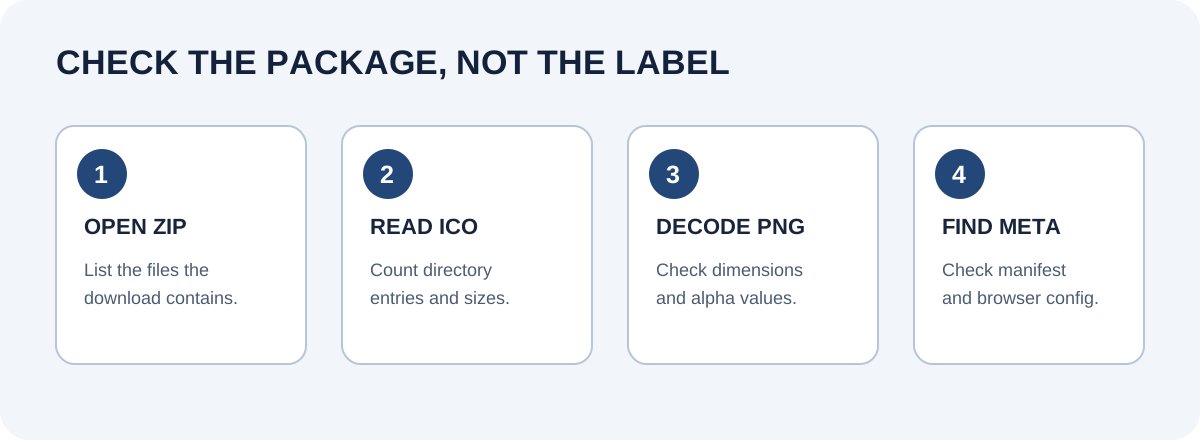
The differences that a preview hid
The two seven-file packages looked alike at the level of filenames and dimensions. Their ICO and PNG entry bytes were also identical in this single-image run, while their manifest files were different. This is an output observation, not evidence about a shared operator or implementation.
The largest downloaded package in this run had 27 files, but its favicon.ico contained only one 16 × 16 image. Its larger sizes were separate PNGs. If a deployment requires a specific ICO layer, a large ZIP file count does not establish that the layer is inside the ICO; inspect the ICO directory separately.
Shift4Shop's result shows a different trap: the downloaded name and extension said ICO while the contents decoded as JPEG. The requested default dimension, 16 × 16, was present, so this was not a measured size mismatch. It was a file-format and transparency mismatch. No other successfully downloaded file in this sample was confirmed to have the wrong dimensions.
Some result pages solve a different task entirely. Canva's visible entry was a design/sign-up route. Magnific's tool was a text-to-icon generator, and LogoAI's default route asked for a brand description. Their inability to process the unchanged PNG under this protocol is not a verdict on their design features.
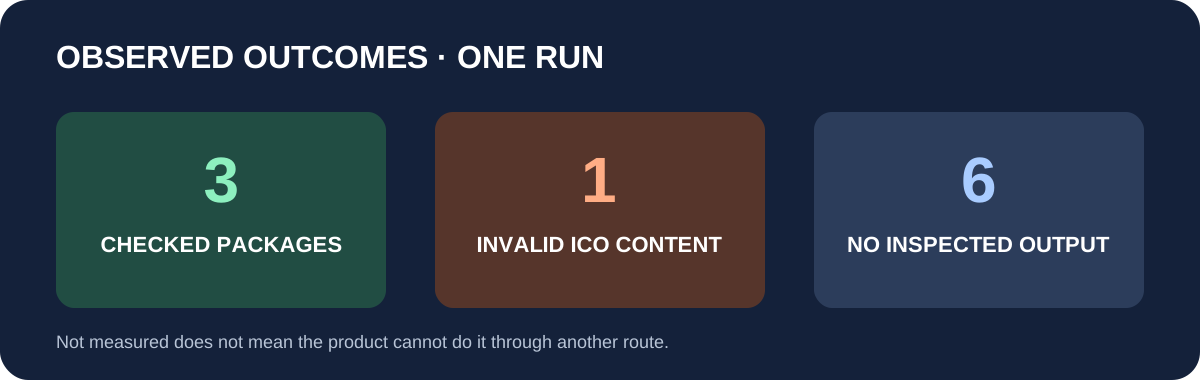
Reading this result without overclaiming
Use the package criterion only when you need the three assets tested here: an ICO, an Apple touch PNG, and a manifest. favicon.io and Logomakerr.ai returned compact packages with a three-layer ICO; favicon-generator.org returned more separate PNG sizes but a single-layer ICO. If you only need one ICO, those package differences answer a different question. If you need a newly drawn mark, the AI design pages answer a different question again.
Two upload routes and one download route were blocked in this browser session. Their cells say not measured because no artifact was recovered. The favicon.cc page visibly stated a 5 MB input limit and the IONOS upload panel stated 2 MB; neither number was used to infer an output. The other sites' limits were not exhaustively checked.
This experiment does not measure mobile browser behavior, install prompts, or visual tab rendering. For a production site, decode the downloaded files, check the image alpha and the ICO directory, then request the deployed URLs and inspect the actual page declarations. This benchmark stops at the downloaded artifacts and observed workflow.
For the separate task of turning a prepared image into one checked ICO, see the favicon maker guide.
FAQ
Questions about the tested results
Which site icon generators produced an ICO, an Apple touch icon, and a manifest without a login?
favicon.io, Logomakerr.ai, and favicon-generator.org did in this test. Each accepted the same PNG without a login and returned all three package types.
How many files did favicon.io return, and how many layers were in its ICO?
favicon.io returned a seven-file ZIP with a three-layer ICO. The ICO layers were 16, 32, and 48 pixels.
Did favicon-generator.org put every icon size inside its ICO file?
No; its ICO had one 16-pixel layer, while the larger tested sizes were separate PNG files.
Was the file named .ico from Shift4Shop actually an ICO?
No; the 1,507-byte download began with the JPEG signature FF D8 FF E0 and decoded as a 16 × 16 JPEG.
Did Shift4Shop keep the PNG's transparent corner?
No; the source corner changed from alpha 0 to opaque black with alpha 255.
Did favicon.io and Logomakerr.ai return identical files?
Their ICO and PNG entry payloads matched byte for byte in this sample, but their manifest files differed.
Which upload or download controls stopped the file test?
RealFaviconGenerator and IONOS did not open a file chooser, and Chrome blocked favicon.cc's download with ERR_BLOCKED_BY_CLIENT; no output artifact was recovered from those three routes.
Did all ten Google result pages use the same kind of PNG-to-icon workflow?
No; Canva led to sign-up, Magnific requested a text description and sign-up, and LogoAI's default route requested a brand description instead of converting the test PNG.