What a favicon generator should leave connected
A set of icon files is useful only when the page points to those files and the manifest points to the files that were delivered. A package can contain every expected name and still have a broken href, a missing manifest icon, or a declared size that does not match the image.
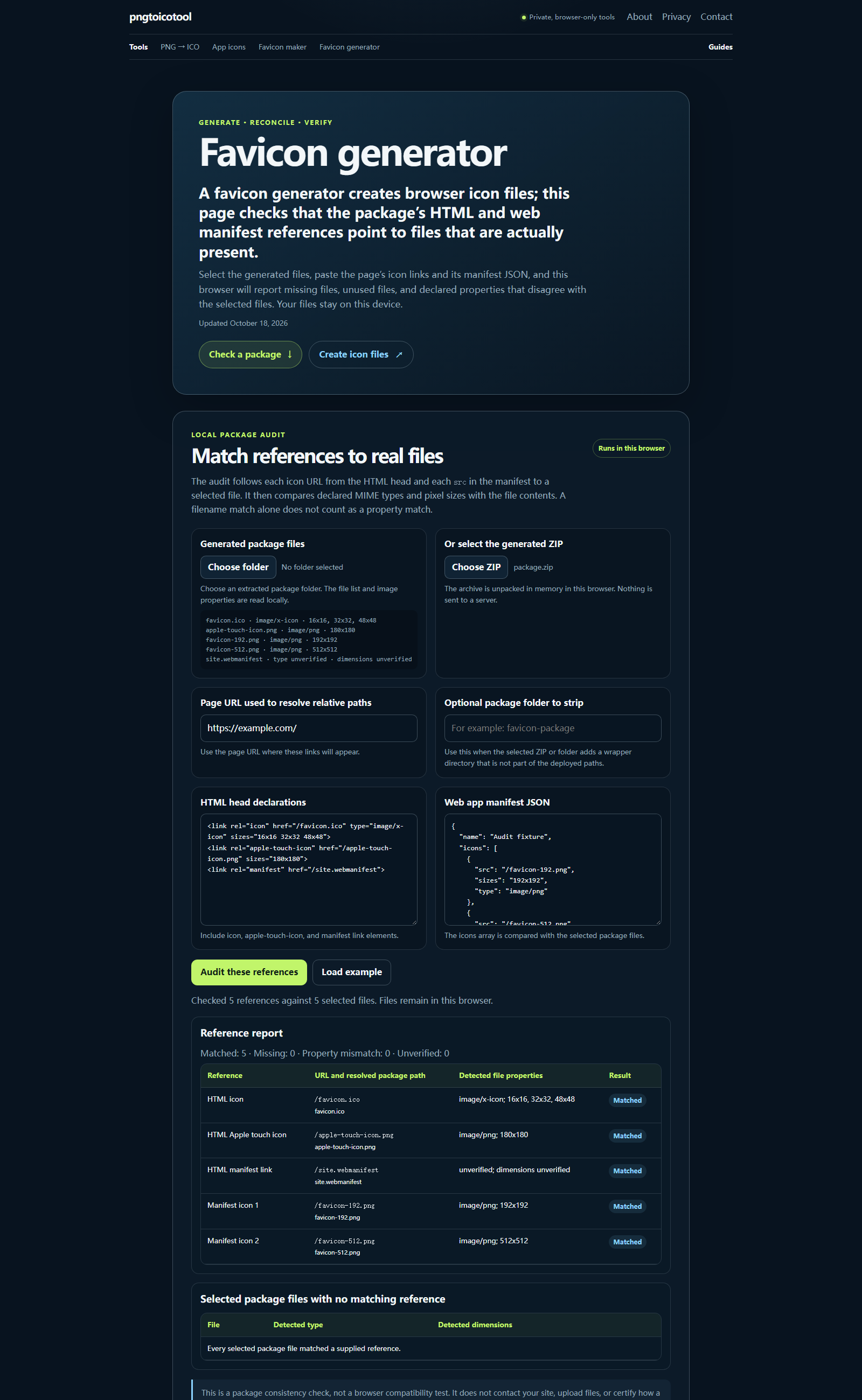
This tool checks the relationship across three inputs: the selected file inventory, the HTML link elements, and the manifest icon entries. It shows each reference beside its resolved package path, then labels it as matched, missing, or property mismatch. It also lists selected package files that nothing references.
How the package comparison works
First, the browser resolves each relative URL against the page URL you enter and normalizes its path. It compares that path with the selected package’s relative file paths. For a match, it reads the file signature and image dimensions from the file itself; it compares those facts with any HTML type and sizes or manifest type and sizes declarations.
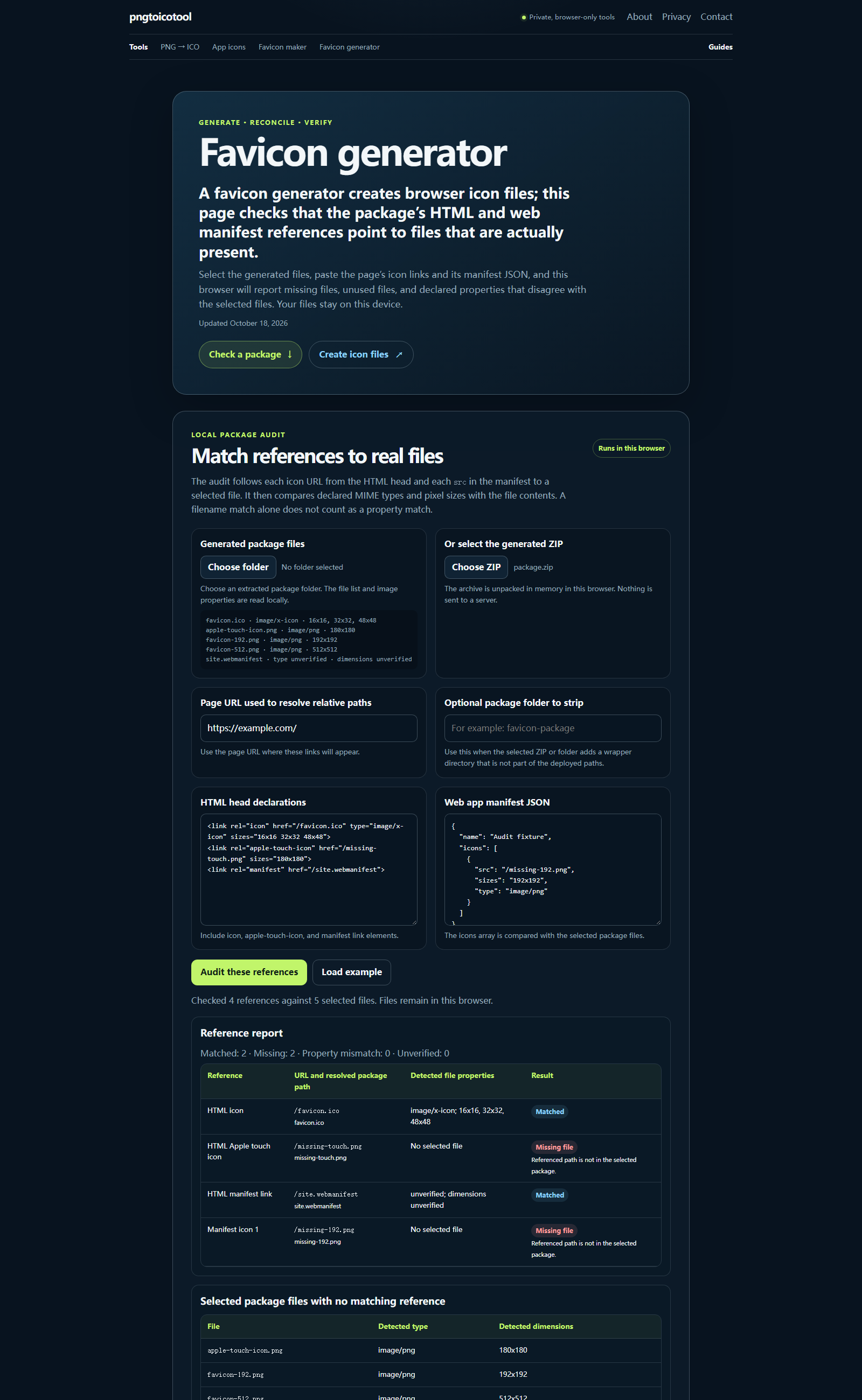
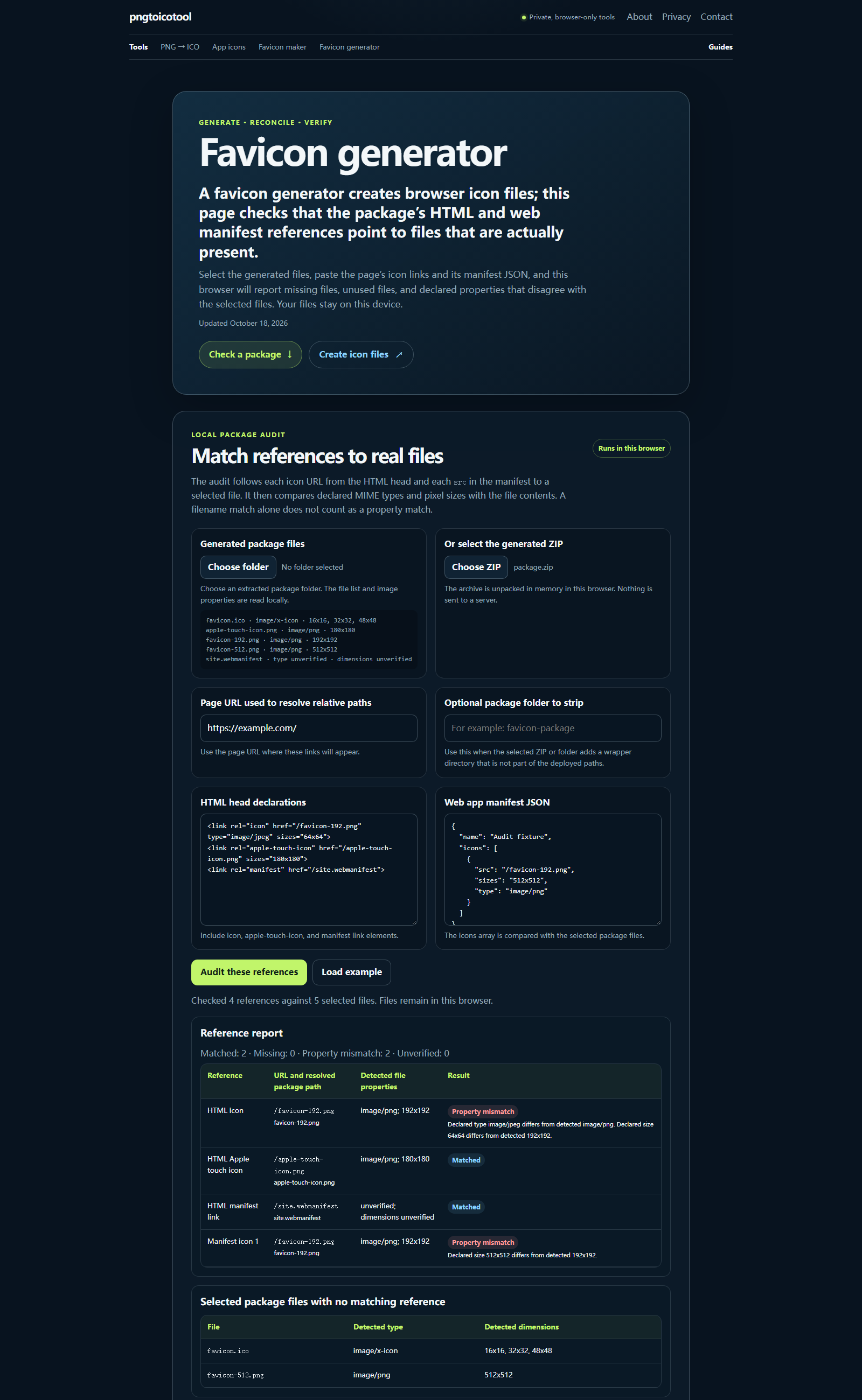
A missing reference means the HTML or manifest names a path that is not in the selected files. An unused file means a package entry is present but no checked declaration resolves to it. A property mismatch means the declared type or dimensions conflict with the selected file’s detected type or decoded dimensions. If a format cannot be inspected, the report says so and leaves the property undecided.
These three browser captures use a local sample package: one with matching references, one with two missing paths, and one with two declared-property mismatches. They show the report’s actual output states; they are not browser-compatibility results.
Read the result without guessing
A matching path does not prove that a public deployment works: this tool reads local package contents and does not make network requests. After publishing, open the referenced URLs on the live site and check the rendered page head separately. The local report is evidence about the package you selected, not about a server response.
Start with the rows marked missing or mismatched. Fix the source package or its declarations, then select the updated files and run the comparison again. Keep the generated markup and manifest together with the exact files they describe.
Questions
How do I create my own favicon?
Choose a PNG or JPG above to create one ICO containing 16, 32, and 180 px images, then use the package audit below to check its references.
What exactly is a favicon?
A favicon is a website icon referenced by the page’s HTML. This checker tests whether the selected package contains the files named by those references; it does not test how a browser displays them.
What is the best free favicon generator?
This page creates a three-size ICO from a PNG or JPG and checks package references below; it does not rank other generators.
How can I turn an image into a favicon?
Choose a PNG or JPG above and generate the combined ICO or a single-size download. The conversion runs in this browser.
Where can I get a free favicon?
Use the generator at the top of this page to make ICO files from your PNG or JPG; your image is processed in this browser.
Can I use a PNG as a favicon?
Yes, this generator accepts PNG input and produces ICO output. The package audit below can also compare a PNG reference’s declared type and dimensions with the selected file.
Does this upload my icon files?
No. The page reads files through browser file APIs and does not send them to a server.
Does a passing report prove my favicon is live?
No. It checks the selected local files against the pasted declarations. It does not request your deployed URLs or test browser caching.
Why can a file be unverified?
The browser may not expose a supported signature or dimensions for that format. The tool marks the property as unverified rather than inferring it from the extension.