Favicon file formats
Favicon File Format: ICO, PNG, or SVG?
For a Google Sites custom favicon, use a JPG, PNG, or GIF from its upload picker. For a coded website, ICO and PNG are broadly practical choices, and the HTML standard also shows SVG as a page icon. Pick for the platform that will consume the file, not just its filename extension.
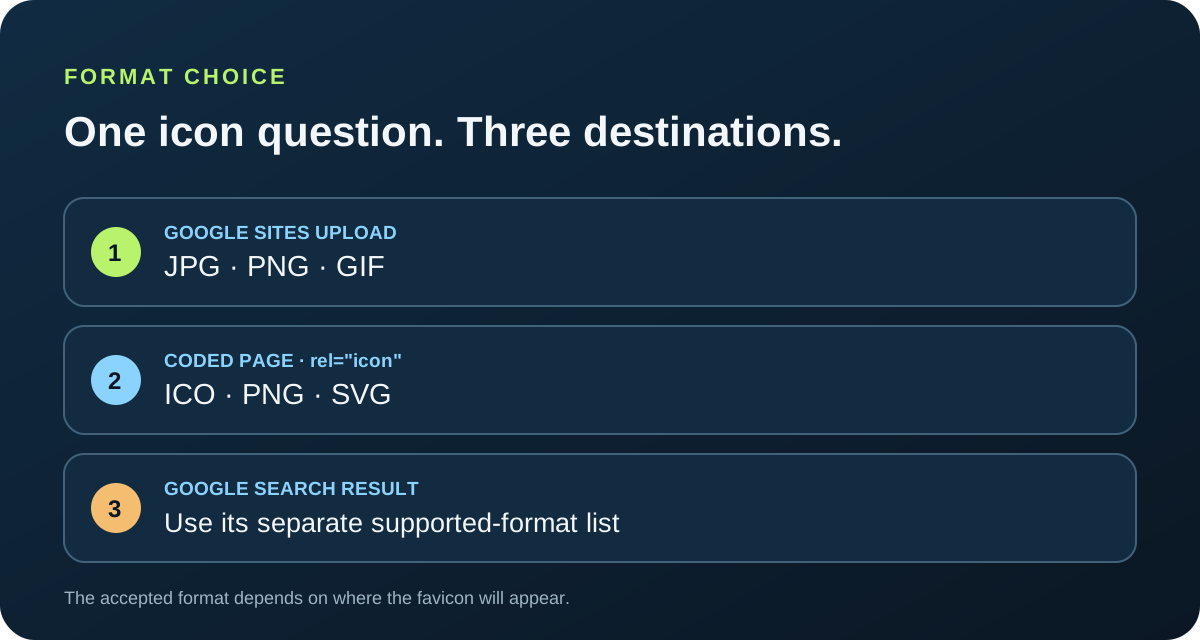
Google Sites currently lists JPG, PNG, and GIF for its custom favicon upload. A hand-coded page can link an ICO or PNG, and HTML also supports SVG icons; Google Search’s favicon format list is a separate requirement. A .ico filename does not turn PNG bytes into an ICO.
A format accepted by one destination is not proof that another upload control, browser, app, or search surface accepts it.
Choose by where the icon will appear
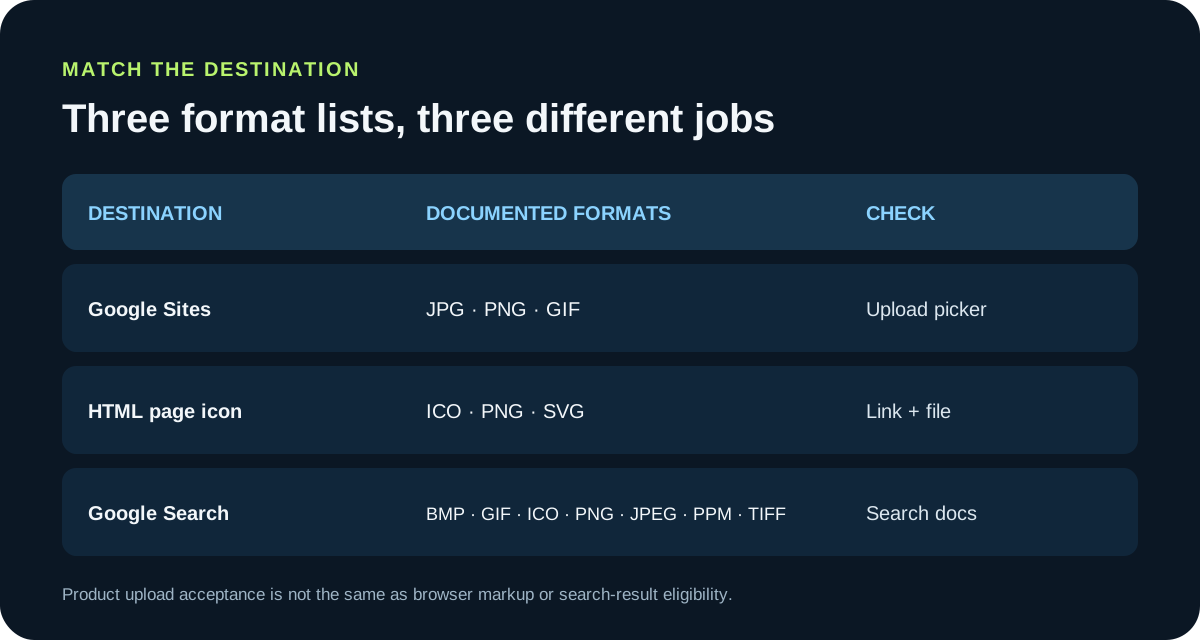
“Favicon format” can mean three different acceptance checks. Google Sites has a product-specific upload picker. A coded website declares one or more page icons in its HTML. Google Search separately documents which image formats it can read for a search-result favicon. Passing one check does not guarantee the other two.
| Destination | Formats documented for this use | What to verify |
|---|---|---|
| Google Sites custom favicon | JPG, PNG, GIF | Choose one of the formats in the current upload instructions and publish the site. |
A coded page using rel="icon" | ICO, PNG, SVG examples in the HTML Standard | Check the real file at the linked URL and use a matching type when you include it. |
| Google Search result favicon | BMP, GIF, ICO, PNG, JPEG, PPM, TIFF | This is Google Search’s own format list; it does not describe every browser or website builder. |
If your question comes from a Google Sites setting, follow the upload picker’s own list: the current help page says JPG, PNG, or GIF. If you control the page HTML and files, ICO is a familiar cross-browser choice, PNG is also explicit in the HTML icon examples, and SVG can be linked with type="image/svg+xml". Search-result eligibility is another layer: Google Search lists seven raster formats and does not list SVG in that guidance.
The extension is a label, not a conversion
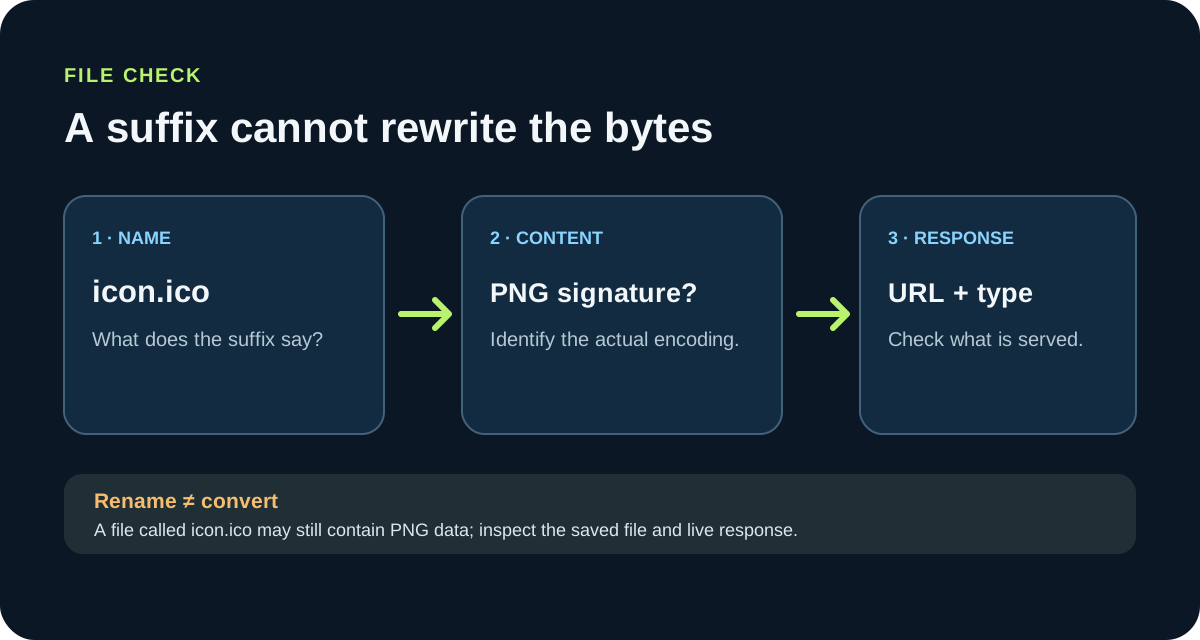
A filename ending in .ico is only a name. If its bytes still begin with a PNG signature, it remains a PNG payload with a misleading extension; changing the suffix did not package it as an icon container. Likewise, a successful upload or a preview thumbnail does not by itself show that the destination accepted the intended file format.
Use a three-part check when a favicon looks wrong: inspect the filename, identify the encoded format from the file itself, then inspect the response at the public URL. For a coded page, compare the link’s href with the exact deployed file and look at the response type and image bytes. If those disagree, correct the file or server mapping before changing the artwork. This separates a bad URL, a mislabeled file, and a destination-specific restriction into different problems.
| What you observe | What it establishes | Next check |
|---|---|---|
The file is named icon.ico | Only the filename extension | Open or identify the downloaded bytes; do not assume the content is ICO. |
| The upload preview appears | The picker displayed a preview | Publish, then inspect the live page or product surface. |
| The direct file URL opens | The URL returns something viewable | Check that the response is the intended image, not an HTML error page or redirect. |
| The browser tab is correct | The page-icon route works in that browser | Check search display separately; crawl and refresh timing are separate from the tab. |
Use a controlled check instead of swapping formats at random
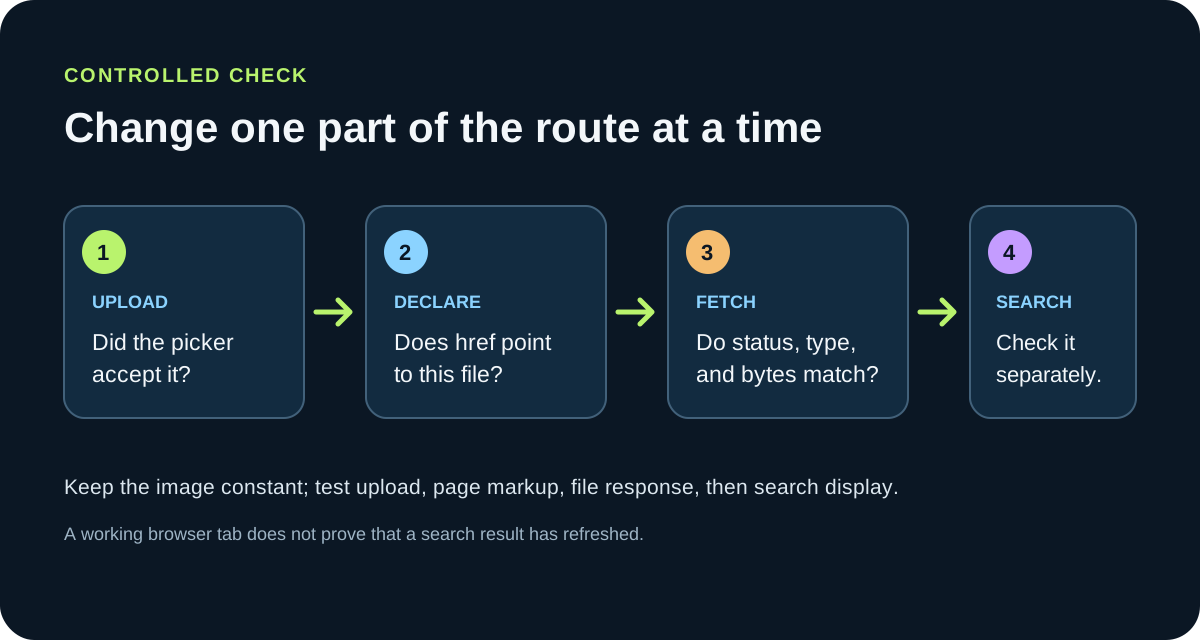
Keep the artwork constant while you diagnose the route. Start with one square PNG and record its pixel dimensions and byte size. Upload that exact file through the platform’s favicon control, publish, and note what the live browser tab shows. If the product rejects the file, use only the formats its current picker documents; do not rename the same bytes and retry as another extension.
For a site where you write the HTML, serve a real ICO, PNG, or SVG as a separate file and declare the matching type. Open each asset URL directly, then inspect the page source or Developer Tools to confirm the browser requested that URL. Change one variable at a time: first the URL, then the file encoding, then the declaration. If the page works but a search result does not show the icon, keep the browser test result separate and follow the search engine’s own crawl and format guidance.
Keep a small check row for each destination: source filename, detected bytes, upload result, published asset URL, response type, and what actually appeared. After a builder accepts an upload, retrieve the live asset when the platform exposes it and compare the served file with the source; a builder may resize or re-encode an image. If the live browser still shows an older icon, retest with a new filename or URL so a cached response does not masquerade as a format failure. Record a search result separately from the tab because those two surfaces fetch and refresh on different schedules.
This check does not promise that every browser cache, builder, or search index updates immediately. It tells you which part of the chain failed in the current run: upload acceptance, page declaration, file response, or downstream search display.
FAQ
Favicon file format questions
What format did you have the favicon in?
For Google Sites, the current help page lists JPG, PNG, or GIF for the custom favicon upload. If you mean a hand-coded page, check its actual icon URL and file bytes; the page can link ICO, PNG, or SVG according to the HTML icon declaration.
Do I need to convert TIFF to ICO for a Google Search favicon?
Not just for Google Search: its published favicon format list includes both TIFF and ICO. That list is for the search result, not every site builder or browser upload control, so follow the destination's own requirements. If you specifically need an ICO file, encode the image as ICO; changing a `.tif` suffix to `.ico` is not a conversion.