Favicon size
Favicon Size: What Size Should a Favicon Be?
If you are choosing a favicon size for a website, start with where the icon will appear: there is no single dimension for every destination. Windows 11 shell tests returned 16 × 16 and 32 × 32 for small and large icon requests; the test ICO loaded six layers from 16 × 16 to 256 × 256. Chrome tab rendering, bookmark-bar rendering, and an iPhone home-screen test were not measured.
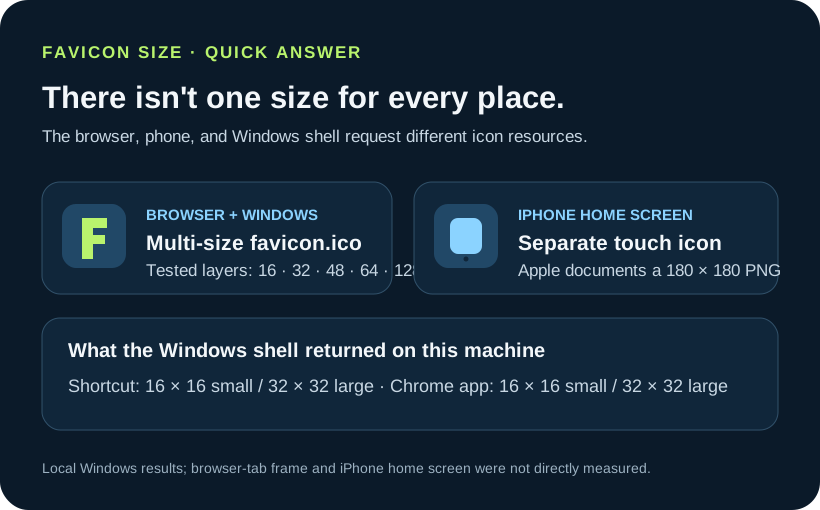
If you are choosing a favicon size for a website, start with where the icon will appear: there is no single dimension for every destination. On Windows 11 build 28000 at 96 DPI, the Shell returned 16 × 16 for small icon requests and 32 × 32 for large requests; the test ICO loaded at 16, 32, 48, 64, 128, and 256 pixels. Chrome tab and bookmark-bar rendered sizes were not measured. Apple’s official Safari Web Content Guide, “Configuring Web Applications,” includes this example: <link rel="apple-touch-icon" sizes="180x180" href="touch-icon-iphone-retina.png">. This is an example in Apple’s documentation, not a measurement by this site; the iPhone home-screen icon was not measured.
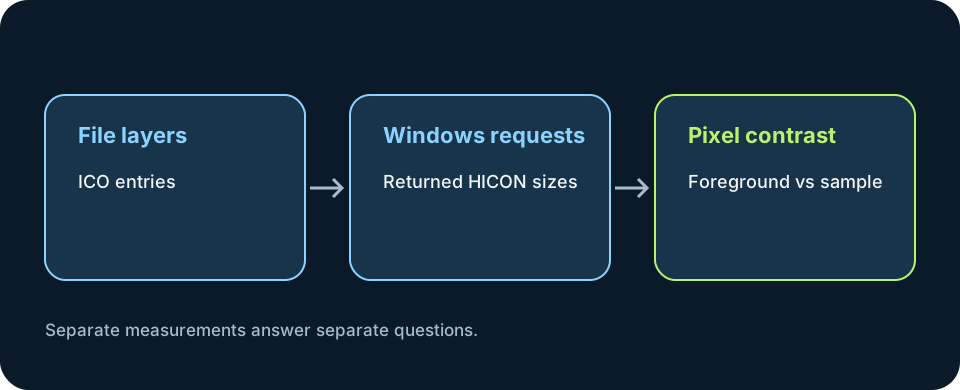
This diagram separates the six tested ICO layers and measured Windows requests from the separate iPhone touch icon.
Test scope: Windows 11 build 28000 at 96 DPI, Chrome 154.0.8037.97, a local test page, a generated multi-layer ICO, Windows Shell APIs, and the installed Chrome executable. Chrome tab icon rendering and bookmark-bar icon rendering were not measured. No physical iPhone was available, so the iPhone home-screen icon was not measured; its 180 x 180 px value below is quoted as an official Apple specification only.
One icon can be requested at different sizes
The phrase favicon size can mean the dimensions stored in an image file, the entry a program asks Windows to extract, or the tiny mark drawn inside a browser control. Those are related measurements, but they are not the same measurement. A 256-pixel source does not mean that a tab displays a 256-pixel icon, and a tab preview cannot tell you what the Windows shell will choose for a shortcut.
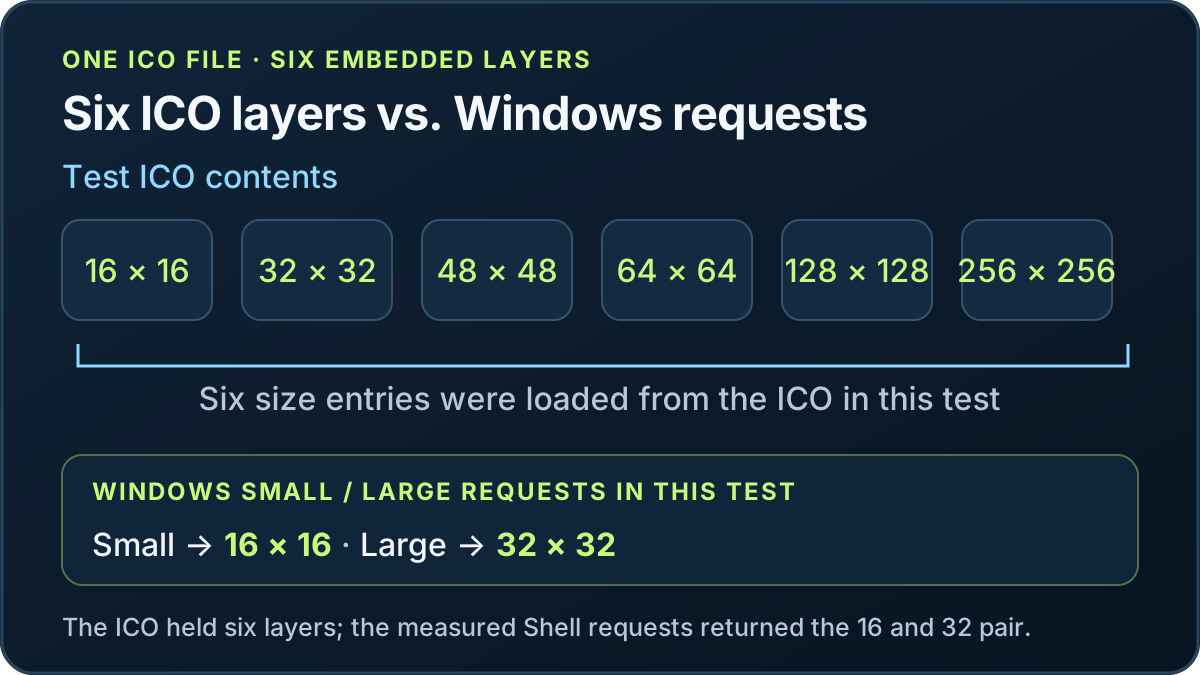
I made one transparent test mark with a different background color at each size, then packed the 16, 32, 48, 64, 128, and 256 pixel versions into one ICO. The colors let me identify the source layer if a measured surface reports one. I served that file from a local page, opened the page in Chrome, and confirmed that Chrome requested favicon.ico. The rendered icon size in the Chrome tab was not measured. The rendered icon size in the bookmark bar was not measured.
| Destination | What this run measured | Result and basis |
|---|---|---|
| Browser tab | Not measured. | Chrome requested the declared favicon.ico resource; the rendered tab icon size was not captured. |
| Bookmark bar | Not measured. | No independent bookmark-bar pixel capture was available. |
| iPhone home screen | Not measured. | Apple’s official Safari Web Content Guide, “Configuring Web Applications,” includes this example: <link rel="apple-touch-icon" sizes="180x180" href="touch-icon-iphone-retina.png">. This is an example in Apple’s documentation, not a measurement by this site; the iPhone home-screen icon was not measured. Source: https://developer.apple.com/library/archive/documentation/AppleApplications/Reference/SafariWebContent/ConfiguringWebApplications/ConfiguringWebApplications.html |
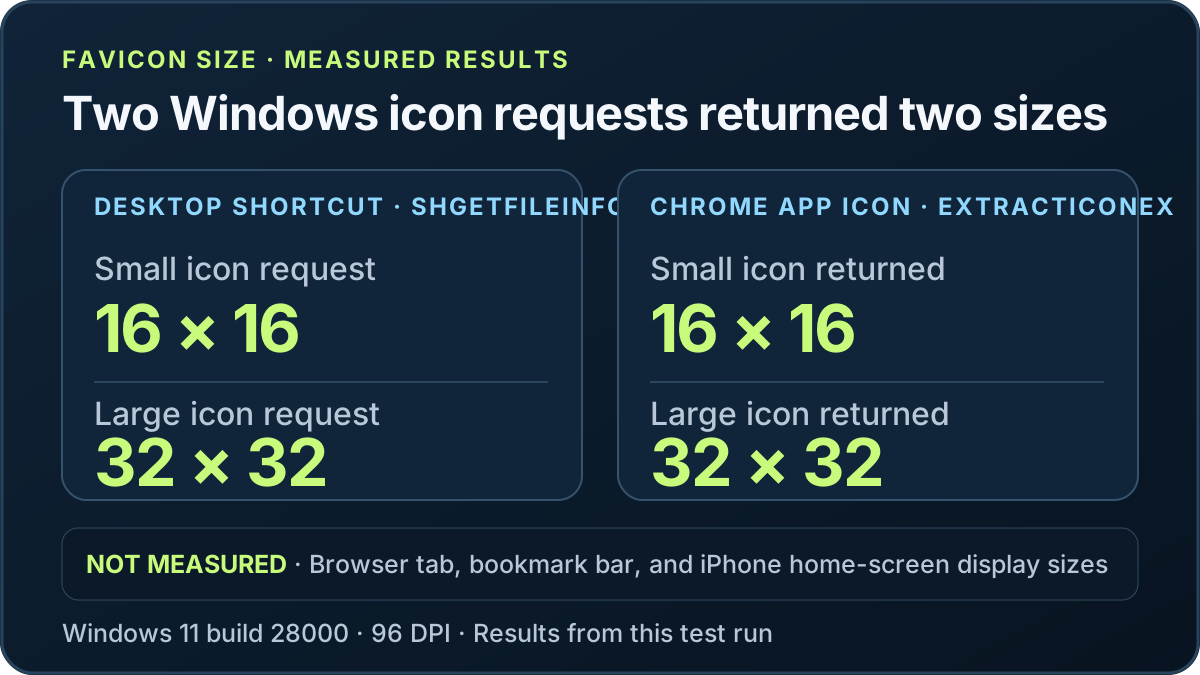
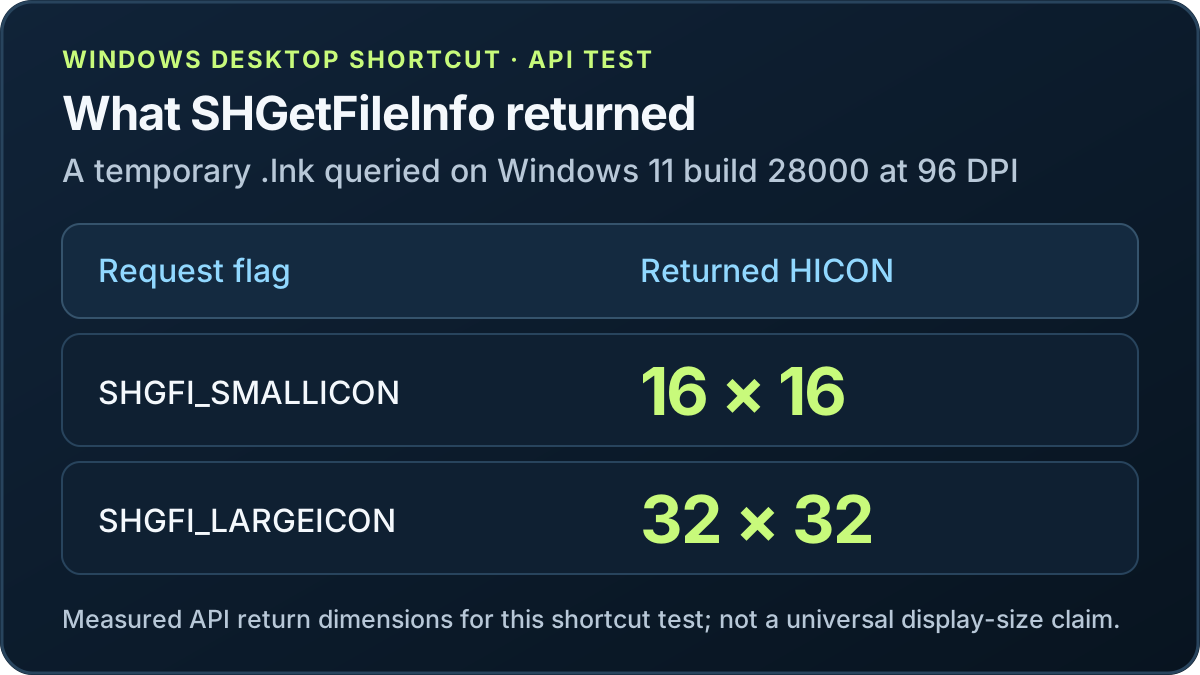
| Windows desktop shortcut | Windows SHGetFileInfo queried the temporary .lnk at small and large icon sizes. | Returned HICONs were 16 × 16 for SHGFI_SMALLICON and 32 × 32 for SHGFI_LARGEICON at 96 DPI. Explorer view and display scaling can request other sizes. |
| Windows application icon | Windows ExtractIconEx queried the installed Chrome executable; LoadImage also opened the test ICO at six requested dimensions. | Chrome returned 16 × 16 small and 32 × 32 large icons. The test ICO loaded at 16, 32, 48, 64, 128, and 256 pixels. These are measurements for this executable, file, API, and machine. |
For a browser and Windows-oriented site icon, a multi-resolution `favicon.ico` gives Windows several native layers to choose from. In this sample, Windows 11 build 28000 at 96 DPI returned 16 × 16 and 32 × 32 for small and large icon requests, and the six ICO sizes opened successfully through Windows image loading. Microsoft Win32 guidance also describes common application icon resources. The measured Shell requests and the file’s available layers are different facts.
For an iPhone home-screen web clip, Apple’s official Safari Web Content Guide, “Configuring Web Applications,” gives this example: <link rel="apple-touch-icon" sizes="180x180" href="touch-icon-iphone-retina.png">. This is an example in Apple’s documentation, not a measurement by this site; the iPhone home-screen icon was not measured. Source: https://developer.apple.com/library/archive/documentation/AppleApplications/Reference/SafariWebContent/ConfiguringWebApplications/ConfiguringWebApplications.html
The Apple example identifies an apple-touch-icon PNG separately from an ICO. This test did not measure that icon on an iPhone home screen.
The recommendation from this run is therefore conditional: make a multi-size ICO for the browser/Windows use case, and add a separate Apple touch PNG if people will save the site to an iPhone home screen. If you support an installable web app, its manifest icons are another destination and should be checked separately. There is no one favicon dimension that can stand in for every file and every display context.
The Windows Shell API returned 16 × 16 and 32 × 32 handles for the small and large requests on Windows 11 build 28000 at 96 DPI. The Chrome application executable returned the same pair through `ExtractIconEx`. Those results do not provide a measured Chrome tab rendering size, bookmark-bar rendering size, or iPhone home-screen result.
Open the downloaded file with an ICO-aware viewer or inspect its directory entries. A filename ending in .ico does not prove which layers it contains. The sample below is a real multi-frame ICO generated for this page's Windows test; its directory lists the six tested sizes; the Windows app icon from PNG workflow uses that same saved-file check for an app destination.
My results are intentionally bounded. The Shell API's 16 × 16 and 32 × 32 handles describe the small and large requests made on this Windows installation at 96 DPI. They do not promise that every screen, scaling setting, browser, or shortcut view will show a glyph at that physical pixel size. Likewise, seeing Chrome request favicon.ico does not reveal which embedded frame it paints in a hidden browser toolbar.
For finding an Apple Touch Icon, see the [finding an Apple Touch Icon](apple-touch-icon).
For a broader map of favicon files, page markup, and platform-specific checks, start with the favicon overview.
FAQ
Favicon size questions
Is a favicon always 16 × 16 pixels?
This test did not measure the rendered Chrome tab icon size. The linked ICO resource contains six frames, but no frame selection or painted tab dimensions were observed.
What is an Apple touch icon size?
Apple’s official Safari Web Content Guide, “Configuring Web Applications,” includes this example: `<link rel="apple-touch-icon" sizes="180x180" href="touch-icon-iphone-retina.png">`. This is an example in Apple’s documentation, not a measurement by this site; the iPhone home-screen icon was not measured. Source: https://developer.apple.com/library/archive/documentation/AppleApplications/Reference/SafariWebContent/ConfiguringWebApplications/ConfiguringWebApplications.html
Does an ICO file contain multiple sizes?
It can. The tested ICO contains six image entries at 16, 32, 48, 64, 128, and 256 pixels. Inspect the actual file to confirm its entries instead of assuming from its extension.
Are Windows shortcut and app icon sizes always the same?
On Windows 11 build 28000 at 96 DPI, small/large shortcut requests returned 16 × 16 and 32 × 32; the installed Chrome executable returned the same pair through `ExtractIconEx`. These are measured results for this system and API, not universal display sizes.
What favicon size does Google Search require for a website?
Google requires a square favicon of at least 8 × 8 pixels and recommends using one larger than 48 × 48 pixels. This is Google Search guidance, not a universal browser display size, and following it does not guarantee that Google will show the favicon. Source: https://developers.google.com/search/docs/appearance/favicon-in-search
- Apple Safari Web Content Guide: Webpage Icons and iOS Home Screen Web Clips
- Microsoft Win32 icon size and shell guidance
- HTML link icon sizes and browser selection behavior (MDN reference)
- Google Search favicon rules (separate search-result surface)
- Reproducible local ICO fixture and generated size layers