Favicon overview
Favicon
A favicon is the small image that identifies a website across browser tabs, bookmarks, and other places that show a site icon.
- Windows Shell sample: small request 16 × 16; large request 32 × 32 (Windows 11, 96 DPI).
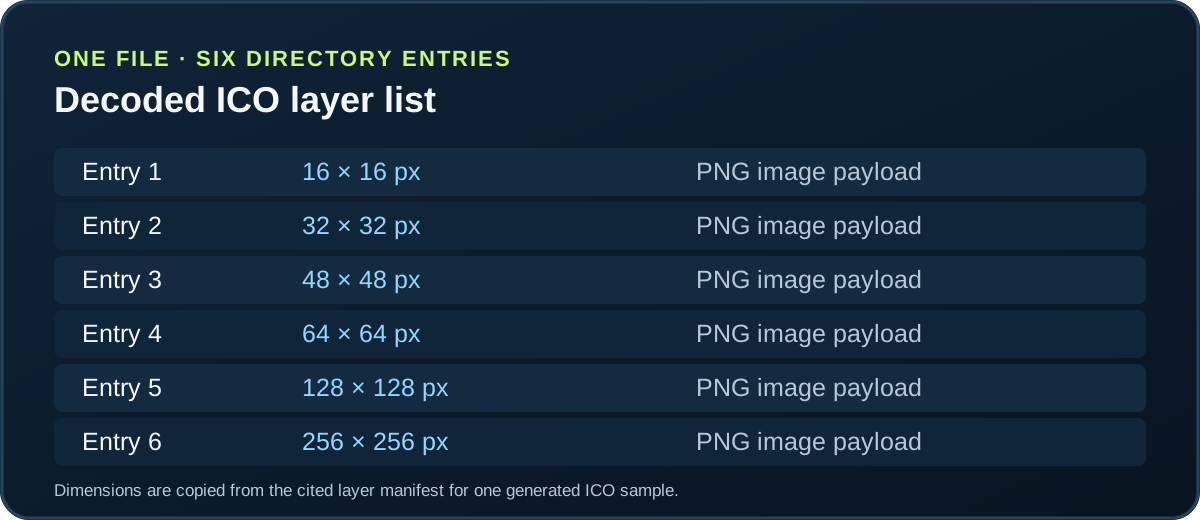
- One tested ICO directory: six entries at 16, 32, 48, 64, 128, and 256 pixels.
- One unchanged PNG: six-layer ICO 36,827 bytes; four-layer ICO 7,726 bytes.
Choose the check that matches your next step
- Favicon sizeCompare measured icon requests and file dimensions.
- Favicon HTMLAdd an icon link and inspect the actual request.
- Favicon makerConvert prepared artwork into an ICO file.
- File formatChoose ICO, PNG, or SVG for a destination.
- Favicon checkerMeasure pixels against chosen sample backgrounds.
- Favicon extractorCompare icon files you have downloaded.
- Not showingTrace a missing icon through page and file checks.
- Favicon questionsSeparate browser, touch-icon, and PWA routes.
- Apple touch iconCheck the dedicated iPhone and iPad icon asset.
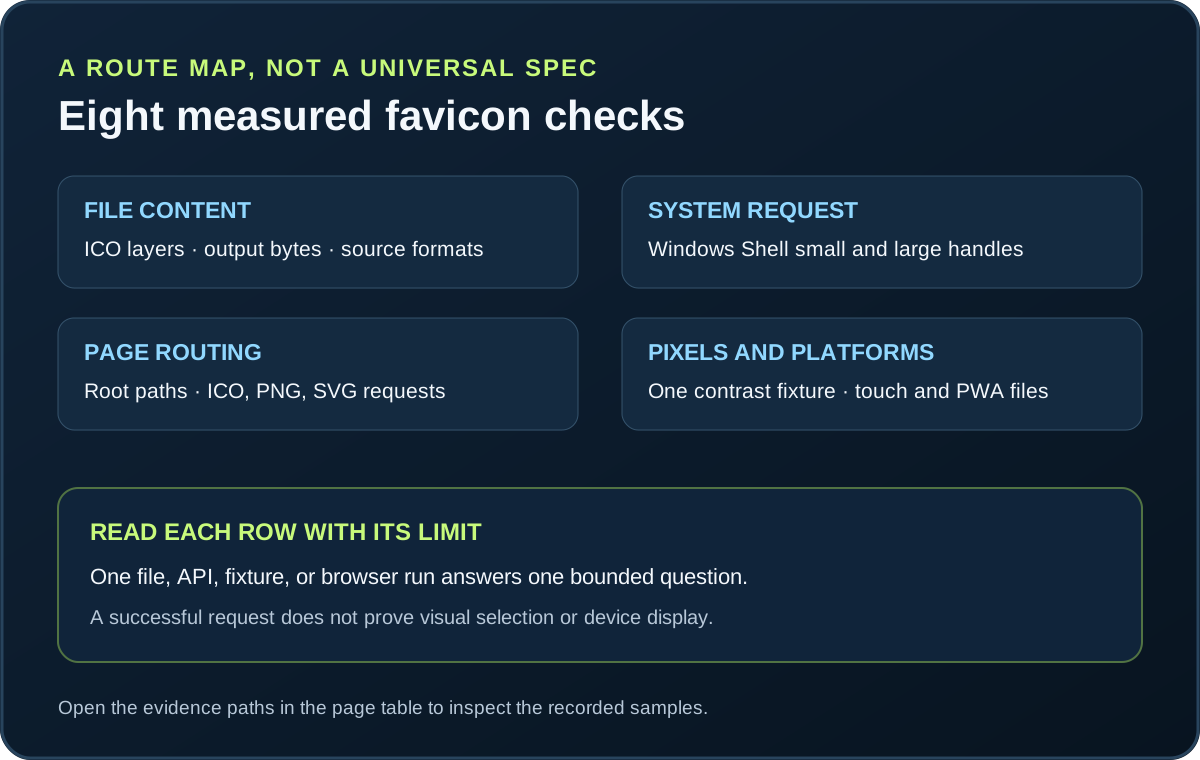
This page is a route map and a summary of eight bounded tests from this site. It does not create, edit, or certify a favicon; follow the linked page for the specific task.
The values below belong to the named files, fixtures, APIs, and browser runs. Each limitation is part of the result; none of these rows states a universal favicon requirement.
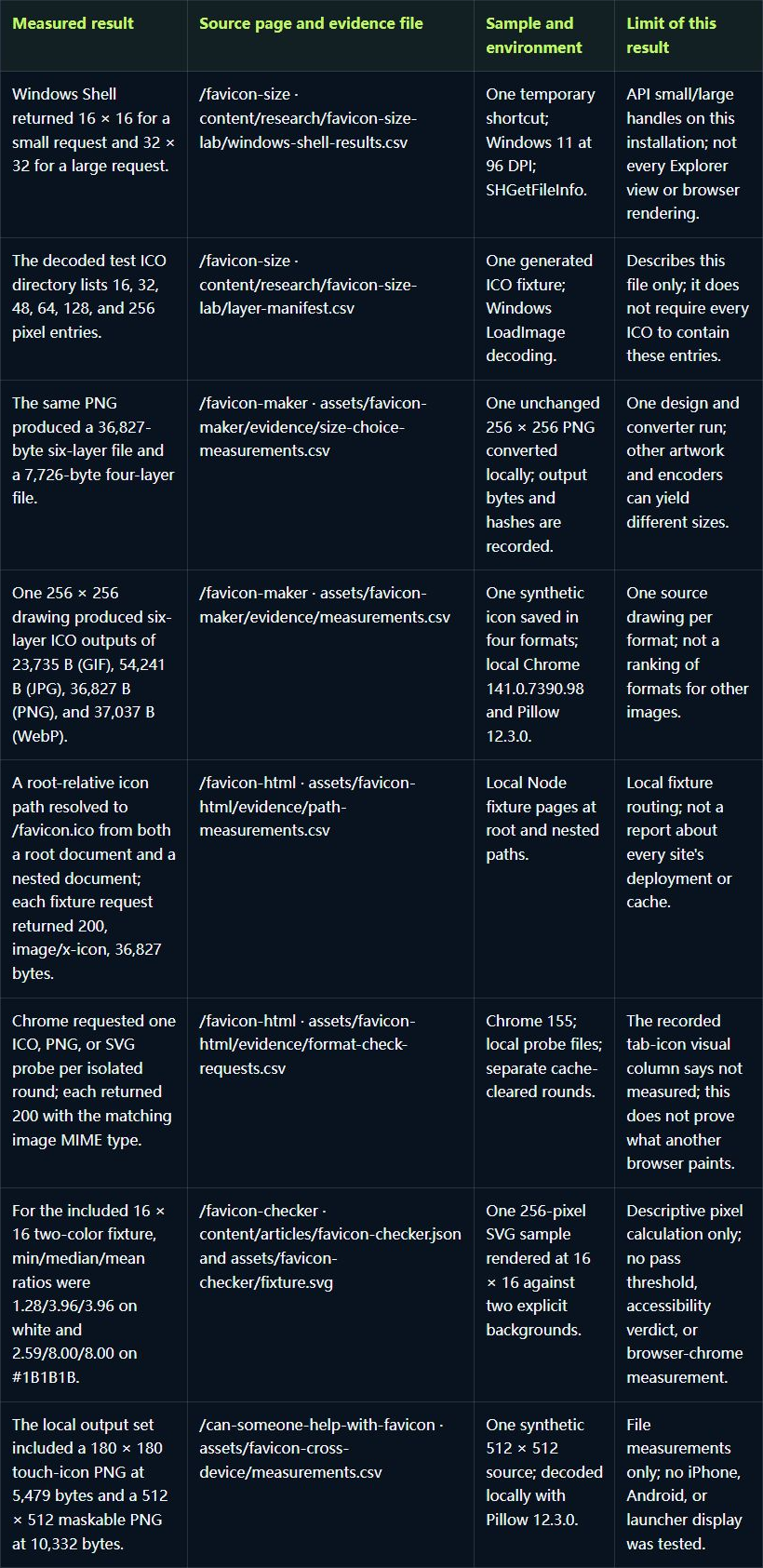
Eight checks with their sample boundaries
These rows summarize existing measurements rather than repeat the child pages' procedures. A result from one API, file, fixture, or browser session answers only that specific question. Open the source page for its method and the evidence file for the recorded sample.
| Measured result | Source page and evidence file | Sample and environment | Limit of this result |
|---|---|---|---|
| Windows Shell returned 16 × 16 for a small request and 32 × 32 for a large request. | /favicon-size · content/research/favicon-size-lab/windows-shell-results.csv | One temporary shortcut; Windows 11 at 96 DPI; SHGetFileInfo. | API small/large handles on this installation; not every Explorer view or browser rendering. |
| The decoded test ICO directory lists 16, 32, 48, 64, 128, and 256 pixel entries. | /favicon-size · content/research/favicon-size-lab/layer-manifest.csv | One generated ICO fixture; Windows LoadImage decoding. | Describes this file only; it does not require every ICO to contain these entries. |
| The same PNG produced a 36,827-byte six-layer file and a 7,726-byte four-layer file. | /favicon-maker · assets/favicon-maker/evidence/size-choice-measurements.csv | One unchanged 256 × 256 PNG converted locally; output bytes and hashes are recorded. | One design and converter run; other artwork and encoders can yield different sizes. |
| One 256 × 256 drawing produced six-layer ICO outputs of 23,735 B (GIF), 54,241 B (JPG), 36,827 B (PNG), and 37,037 B (WebP). | /favicon-maker · assets/favicon-maker/evidence/measurements.csv | One synthetic icon saved in four formats; local Chrome 141.0.7390.98 and Pillow 12.3.0. | One source drawing per format; not a ranking of formats for other images. |
| A root-relative icon path resolved to /favicon.ico from both a root document and a nested document; each fixture request returned 200, image/x-icon, 36,827 bytes. | /favicon-html · assets/favicon-html/evidence/path-measurements.csv | Local Node fixture pages at root and nested paths. | Local fixture routing; not a report about every site's deployment or cache. |
| Chrome requested one ICO, PNG, or SVG probe per isolated round; each returned 200 with the matching image MIME type. | /favicon-html · assets/favicon-html/evidence/format-check-requests.csv | Chrome 155; local probe files; separate cache-cleared rounds. | The recorded tab-icon visual column says not measured; this does not prove what another browser paints. |
| For the included 16 × 16 two-color fixture, min/median/mean ratios were 1.28/3.96/3.96 on white and 2.59/8.00/8.00 on #1B1B1B. | /favicon-checker · content/articles/favicon-checker.json and assets/favicon-checker/fixture.svg | One 256-pixel SVG sample rendered at 16 × 16 against two explicit backgrounds. | Descriptive pixel calculation only; no pass threshold, accessibility verdict, or browser-chrome measurement. |
| The local output set included a 180 × 180 touch-icon PNG at 5,479 bytes and a 512 × 512 maskable PNG at 10,332 bytes. | /can-someone-help-with-favicon · assets/favicon-cross-device/measurements.csv | One synthetic 512 × 512 source; decoded locally with Pillow 12.3.0. | File measurements only; no iPhone, Android, or launcher display was tested. |
What the summary can and cannot answer
The table helps identify the right next check: file dimensions, the requested operating-system size, a page's resolved icon path, the response type, or a platform-specific asset. It does not combine these into one recommended size or certify a site's icon. For a missing icon, begin with the favicon troubleshooting checks; for a new file, use the favicon maker, then verify its page declaration separately.
The file-size comparison is a single controlled input, and the cross-device rows are file-level measurements. Keep those limits attached when reusing the numbers. A successful request in the local format fixture does not establish that a browser selected the favicon visually.
FAQ
Favicon overview questions
Does a favicon have one universal size?
These measurements cover one Windows Shell request pair and one six-entry ICO. They do not establish a universal display size; use the size page for its measured scope.
Can this page make a favicon?
No. This hub only routes to the maker and the pages that check markup, files, formats, or display issues.
Does a successful icon request prove that the tab displays it?
No. The recorded ICO, PNG, and SVG requests returned successfully in the local Chrome fixture, while the tab visual column was not measured.