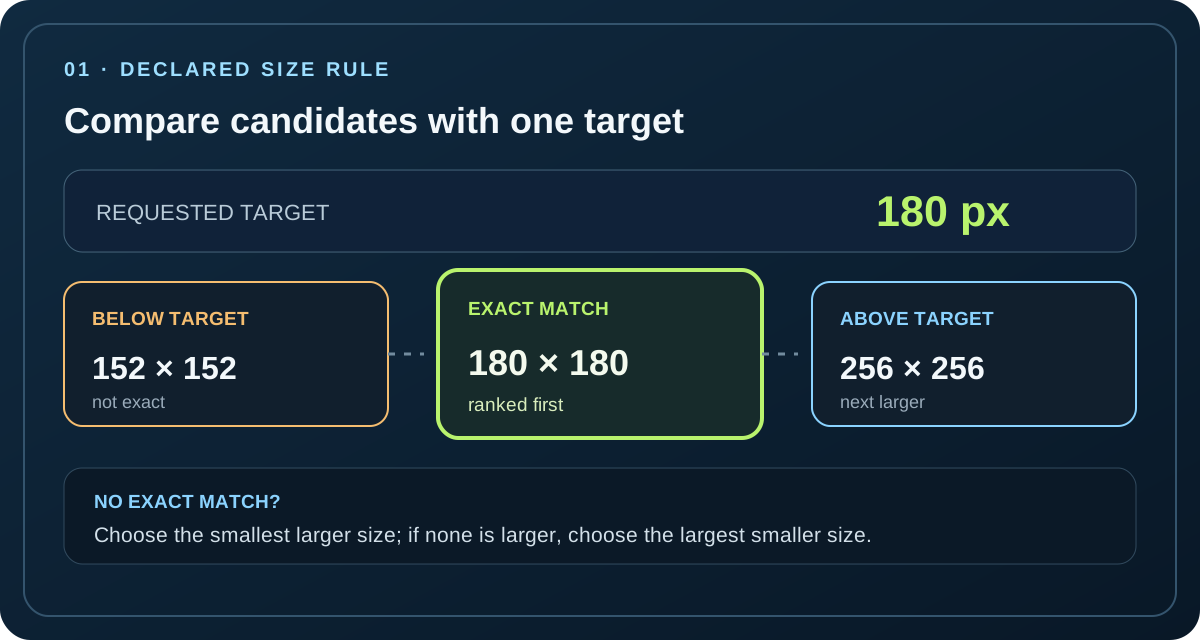
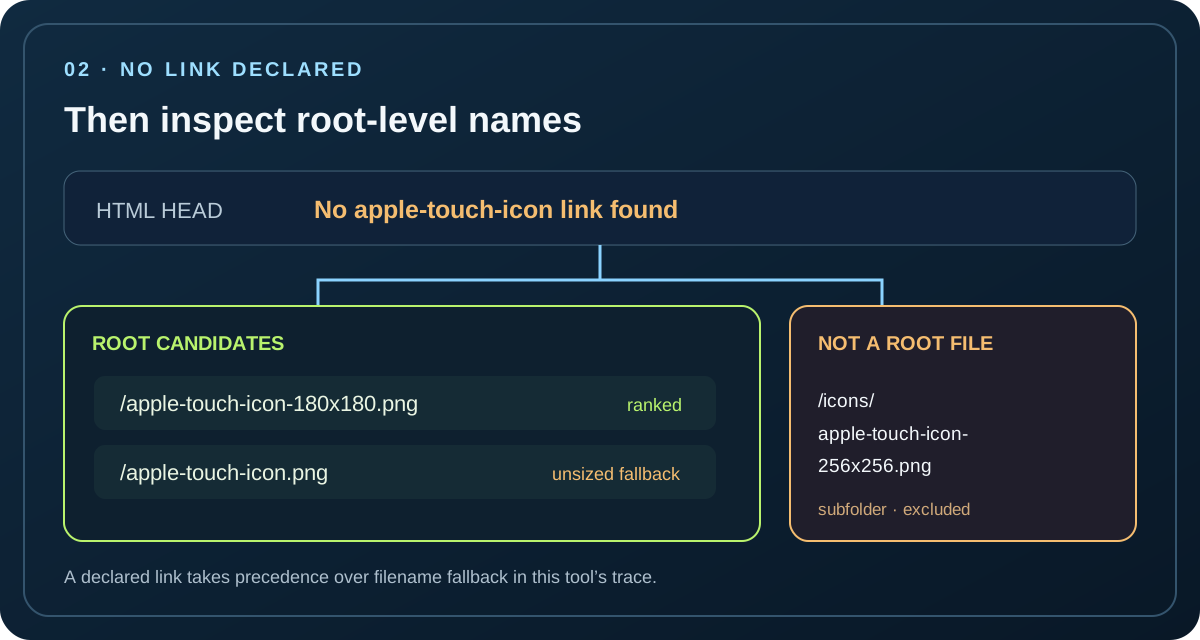
For an iOS Web Clip, an Apple touch icon is selected from the page’s icon declarations by target size: an exact size first, then the smallest larger icon, or the largest smaller icon when no larger one exists. With no explicit link, iOS searches root-level apple-touch-icon filenames.
Paste the page’s HTML head, list the deployed paths you want checked, and enter a target icon size. This browser ranks declared candidates and shows which paths are present in your list. It sends no page, file list, or declaration to a server.
For links with numeric sizes, the trace looks for an exact square size. If none exists, it ranks the smallest declared size above the target; when every declared size is below the target, it ranks the largest one. A tie stays visible as ambiguous instead of being broken by markup order.
A link without a numeric sizes value remains unranked. The tool has filenames, not image bytes, so it cannot infer that file’s pixel dimensions or claim that a size-ranked candidate is the only possible choice.
Separate a chosen reference from a listed file
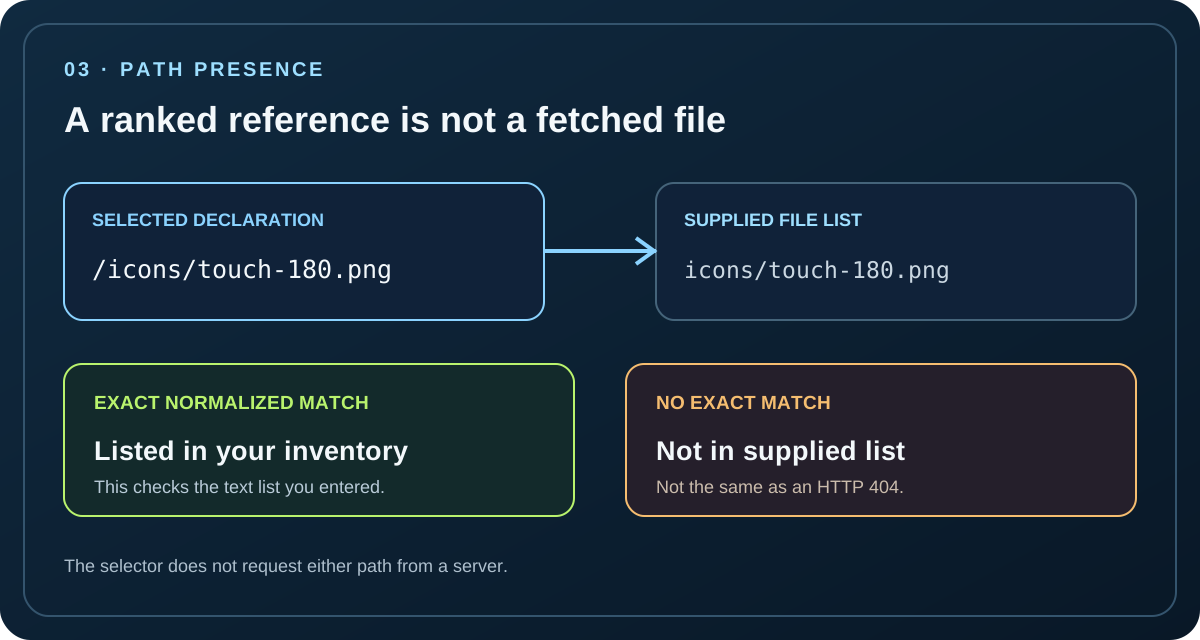
The selected declaration is compared with the supplied inventory after resolving its path. The result distinguishes a listed path, an absent path, a tied candidate, and a reference that cannot be ranked. A declaration can therefore be the size-rule leader while still being missing from the inventory.
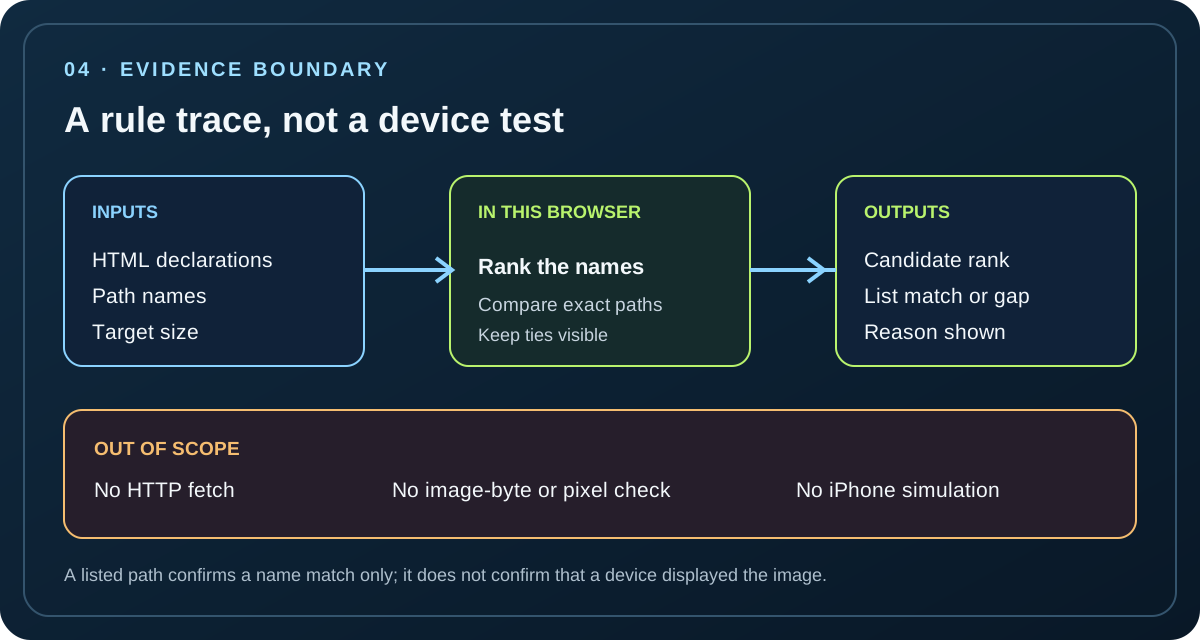
This trace does not open URLs, inspect response headers, fetch icons, decode images, compare transparency, or simulate a device. It calculates from your pasted text and path names only.
Use root names only when no touch-icon link exists
When the head has no apple-touch-icon link, the tool looks only at root-level inventory names beginning with apple-touch-icon. Numbered square PNG names are ranked by their filename size; an unsized apple-touch-icon.png stays as a fallback candidate.
Apple’s archived guide documents root-directory lookup and gives a 58-pixel example that checks apple-touch-icon-80x80.png before apple-touch-icon.png. The tool generalizes that example to other numbered filenames as a filename-based model, not as a real-device measurement.
Keep this check distinct from package auditing
A package audit asks whether declared references and package files correspond. This selector asks which touch-icon declaration ranks for a supplied target size, then reports whether that path appears in the inventory. It does not audit a web app manifest or judge an icon’s visual quality.
First rank the declared square sizes against your target. Exact matches lead; otherwise the nearest available side of the target leads.Use filename fallback only when the page has no Apple touch-icon link, and keep the check at the site root.A winning declaration and a listed file are separate facts. “Not in list” does not mean the public URL returned an error.The result is a reproducible name-and-rule trace, not a network check or a device observation.
REPRODUCIBLE TRACE RECORDS
Four inputs, sixteen calculated traces
These are constructed path-and-markup fixtures entered into the selector above. Each row records the selector’s browser-rendered result for that exact head, inventory, page path, and target. The values are rule calculations from names and declarations; they are not device observations, image-byte checks, or claims about a live website.
missing/tie-b.png and missing/small.png · Not in supplied list; neither outranks the selected path.
Set C · Root filename fallback with a subdirectory decoy
Input head: no Apple touch-icon link. Inventory: apple-touch-icon-80x80.png, apple-touch-icon-152x152.png, apple-touch-icon-180x180.png, apple-touch-icon.png, and icons/apple-touch-icon-256x256.png. The selector only included the root-level filename candidates in this fallback trace; the nested path was not ranked. Page path: /demo/page.html.
apple-touch-icon.png · Unsized root fallback; nested icons/apple-touch-icon-256x256.png is outside the root-name candidate list.
Set D · No root-level filename candidate
Input head: no Apple touch-icon link. Inventory: icons/apple-touch-icon-180x180.png, favicon.png, manifest.webmanifest. Page path: /demo/page.html. For each entered target below, the browser displayed “No root candidate found” and “No root-level apple-touch-icon PNG filename was present in the supplied inventory.”
Target
Tool result
Candidate list
Reason
58
No root candidate found
No candidate path could be derived
No root-level apple-touch-icon PNG filename was present in the supplied inventory.
100
No root candidate found
No candidate path could be derived
No root-level apple-touch-icon PNG filename was present in the supplied inventory.
167
No root candidate found
No candidate path could be derived
No root-level apple-touch-icon PNG filename was present in the supplied inventory.
200
No root candidate found
No candidate path could be derived
No root-level apple-touch-icon PNG filename was present in the supplied inventory.
Unmatched and unresolved result categories
Not in supplied list: a resolved declared path has no exact normalized match in the inventory, as with missing/tie-b.png in Set B; this is a list mismatch, not an HTTP check.
Ambiguous top candidates: two paths share the best size rank, as the paired 152x152 declarations do at the targets shown in Set B; markup order does not break the tie.
No numeric size: Set A’s unsized declaration has a listed path but cannot be ranked from a pixel target; the result explicitly keeps that uncertainty visible.
No root candidate found: Set D has no root-level name matching the fallback pattern; a matching name under icons/ does not qualify as a root candidate.
Unsized root fallback: Set C includes apple-touch-icon.png, which the result keeps visible without deriving pixel dimensions from its filename.
The result is an input-to-output trace: markup or root filenames plus an inventory and target produce a ranked path, a tie, or a stated absence. A “Listed” badge confirms only that the path text appears in the supplied inventory; it does not confirm that a file exists online or that iOS displayed it. For browser and desktop icon size checks, see the favicon size guide.
SCOPE
What this result can establish
Does this prove which icon an iPhone displayed?
No. It applies the documented size guidance to the declaration text and inventory you entered. It does not run Safari on an iPhone or observe a Home Screen result.
What does “missing from inventory” mean?
The chosen reference path did not exactly match a normalized path in your supplied list. The tool does not request that path, so it cannot tell whether a remote server serves it.
Why can a declared icon remain unranked?
A link with no numeric sizes value cannot be compared by pixel size from names alone. Add a declared size or provide image measurements separately; this tool will not guess them.